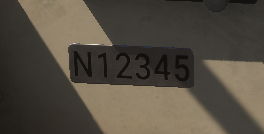
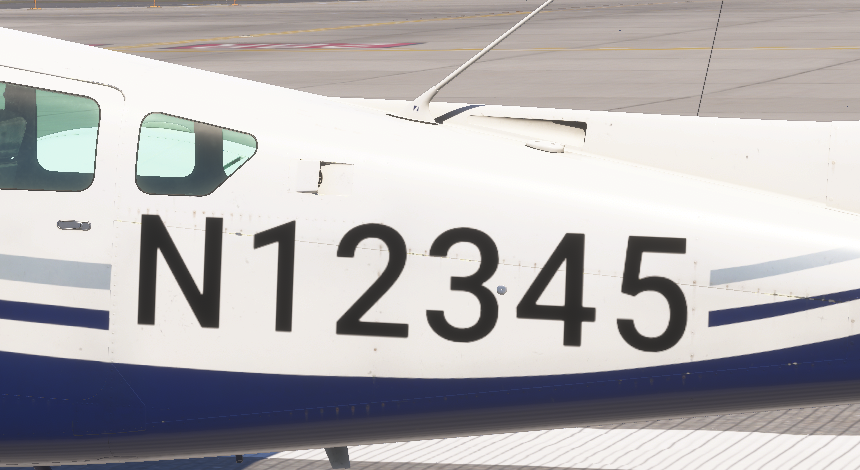
2020 aircraft in 2024 sim does not show custom registration

Version: 1.2.7

Frequency: Consistently

Severity: High

Bug description: = I noticed the default 2024 DA62 and our 2020 C24R do not show the custom registration and only a white mesh they normally display on. Sounds like an internal bug for 2024 but want to report as I do not see any posts on this exact issue.


Can we please get confirmation on this bug!

Hello,

I was able to reproduce this issue and have logged a bug in our backlog.

Regards,
Boris

2 Likes

Hello,

This should be fixed in SU2 (currently in flighting).

Can you confirm if the issue is resolved?

Best regards,
Boris

We removed it until SU2 comes out so customer can not see the bug. I will try to check it in the near future as I do not have the SU2 beta installed.

Hi @Boris,

I find that it’s now working but I have some question as there may be some other issues.

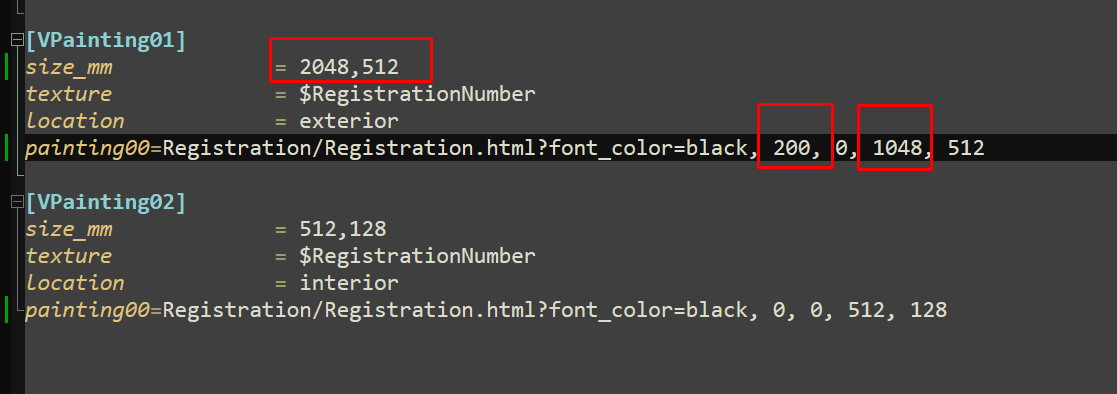
  1. Changing the values in the panel.cfg file did not move or scale the text. Is this broken?
  2. Also I noticed when making a native 2024 aircraft I normally have the interior model look at the liveries first then use the fallback to the common textures. I ask this because we have tail numbers on placards in the panel. And so far i have no way to do this in 2024. I can use the custom livery method but I prefer to use the livery textures.
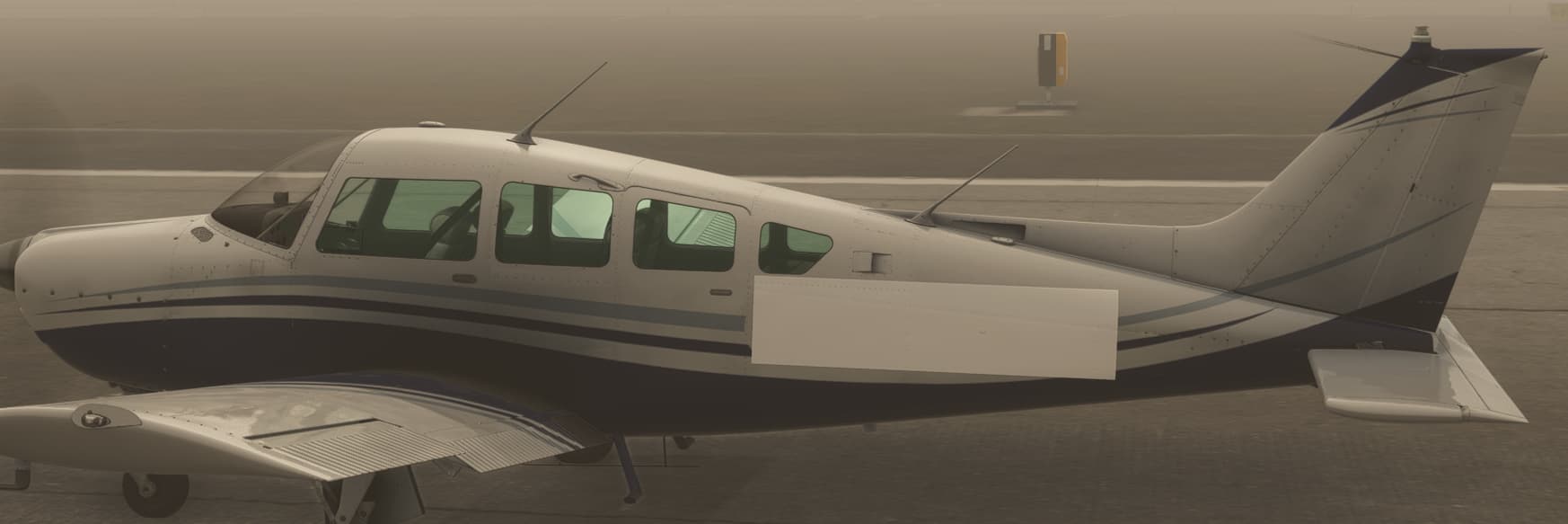
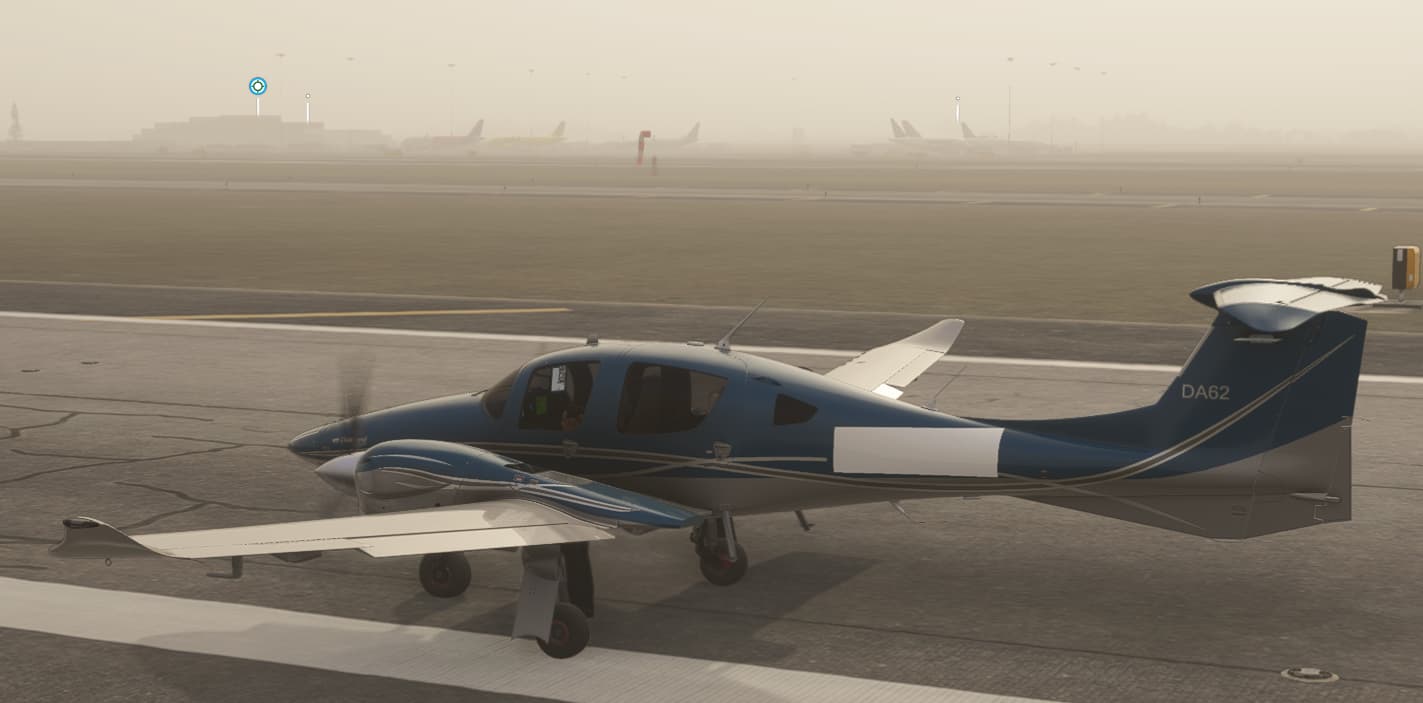
Screenshot_524

So one of the reason I think it was broken on our end was we were using RegistrationNumber without the dollar sign. **$**RegistrationNumber

I was told years ago from an Asobo member to never use these for future conflicts. Seems in 2024 I still had to add the $ sign to get it working. So not sure if you guys fixed anything or it was me adding the $ sign. Just wanted to add this info for more feedback.

One of our developers continues to encounter this issue (running the latest SU2 beta):

When the simulator is first loaded, the registration appears correctly in the aircraft configuration menu.

Selecting any other livery will result in black polygons with z-fighting.

If another livery was selected, the black polygons will appear in the simulator.

If the registration was working in the configuration menu, it will either work in the simulator, or it will appear as a white decal (no z-fighting) with no registration.

Thanks,
Martyn

Hello @MartynJF,
We were able to reproduce the behavior. I logged an issue in our backlog.

I will let you know when I have more news to share.

Regards,
Boris

HI martyn,

I am not encountered any issues like this. When you say you select another livery, do you mean another dynamic livery?

We have to make a separate panel folder for any model that uses this mesh and include the code like this to not show the dynamic registration.

[VPainting01]
size_mm = 2048,512
texture = $RegistrationNumber
location = exterior
painting00=Registration/Registration.html?font_color=black, 0, 0, 0, 0

[VPainting02]
size_mm = 512,128
texture = $RegistrationNumber
location = interior
painting00=Registration/Registration.html?font_color=white, 0, 0, 0, 0

Hi all,

Here’s the response from our developer:

I use a custom registration html/css/js, which worked in MSFS 2020. It also works in MSFS 2024 if the aircraft is loaded without visiting the aircraft configuration menu. Raul had a similar problem early on that was marked fixed with no comment.

It’s not a model or materials problem, because the default registration.html works every single time.

It’s also not a code problem, because I tried replacing my custom registration code with copies of the default html/css/js files from \html_ui\Pages\VLivery\Liveries\Registration\ and I still had the strange behavior.

There is clearly some black magic happening with registrations in MSFS 2024, because the VLivery instruments don’t even appear in the Coherent debugger in any default aircraft, unlike in MSFS 2020. My custom registration html does appear in the Coherent debugger, however, which is suspicious. This makes me think that something is hard coded to recognize the default registration.html, but not custom ones.

bksq_VLivery01_2024

I even tried overwriting the default registration html/css/js files with the new “GloballyOverridenBaseSimFile” system to see if I could learn anything. The VFS appears to have correctly prioritized my files, but…

The simulator continues to load the registration number using the default code, despite the original code no longer appearing in the VFS! Unfortunately, no further debugging is possible, because the VLivery instruments no longer appear in the Coherent debugger.

Since the registration does work consistently under reproducible circumstances, this seems like a bug beyond my control.

Thanks,
Martyn

1 Like

Hi Martyn.

Can you share where in the sdk it shows how to setup a html livery? I could not find any info on this and I suspect you just got lucky and it works in 2020. Or Asobo will fix it if they honor this method. I think I will stick with the Dynamic Livery using the panel cfg entry.

Hi. As I don’t have direct experience with this, here’s the reply from our developer who does:

“The default JS/HTML registration instruments called from panel.cfg are no different than any other JS/HTML instrument for which the SDK provides examples. We were given no indication that a particular subset of JS instruments would cease to function in 2024. However, they do still function in a reproducible way, which makes this feel more like a bug than the intended outcome.”

@Boris Is there any indication of whether this will be fixed by SU3?

Thanks,
Martyn - Just Flight

1 Like

Hello @MartynJF ,
It’s currently planned to be fixed for SU3, but I can’t confirm it yet as we also have other higher-priority topics to address in parallel.
I will let you know when I have some news to share

Edit : Tagging this topic as bug_logged for better tracking.

Regards,
Boris

1 Like

So I’m just dabbling with liveries as a hobby, but have been perplexed by the custom registation issues in MSFS 2024, similar to those described above. I’ve been working on a custom livery for the Black Square Duke; the livery works great in MSFS 2020, however I’ve noticed that in MSFS 2024, the formatting parameters I add to panel.cfg seem to be completely ignored. For example my tail reg should be black with a yellow shadow, but is showing up blue; and no amount of edits to the parameters in panel.cfg change anything in MSFS 2024.

So I did some digging into this using Microsoft Process Monitor. I observed what happened when MSFS 2024 loads my livery…

  1. It starts out correctly reading panel.cfg from my custom livery (reg N32AP in the screenshot), with parameters for a black and yellow tail reg.
  2. Then, it switches to panel.cfg of stock livery N18VK and reads from there. And this panel.cfg has parameters for a blue tail reg. I don’t know what logic is used for this choice, or why it happens.
  3. And when my aircraft loads into the sim, it has the blue tail reg from N18VK.

So a little knowledge is a dangerous thing here, I don’t profess to be anything more than a novice on this, but I can’t fathom why this happens. I wonder if it’s connected to the override_base_container = 0 parameter, which (as I understand it) is supposed to start with the base values then overwrite anything which also exists in my livery- - i.e. blend my panel.cfg into the base panel.cfg. I have doubts that the part highlighted in red is working.

… or maybe I’m just doing something wrong! I know this is plaguing a few livery designers right now and it used to all work nicely in MSFS 2020. So if it IS a bug, I’m hoping Asobo can fix it for SU3!

EDIT: so with this in mind, I got my Black Square Duke livery to work by using override_base_container = 1 and supplying a “full” panel.cfg with my livery. It correctly reads the tail reg formatting parameters :partying_face:. I actually decided to hand-paint the number and used “transparent” color to hide the tail reg. Only downside is I’ll need to keep updating my livery if a Black Square Duke update changes the stock panel.cfg file; so hopefully the root cause can be fixed so I can revert back to a better way of handling panel.cfg.

1 Like

Thanks Boris.

We had to disable the custom registration feature for our recent Starship MSFS 2024 release and receive almost daily messages from the community asking for its reintroduction. Several more of our Black Square aircraft with the same feature are coming to MSFS 2024 soon too, so hopefully a fix does get included in SU3, so those can release with the feature included.

Thanks again,
Martyn

Sorry to ask again, but with the SU3 release now rapidly approaching, is there any indication of whether this will be addressed or deferred until SU4?

Thanks,
Martyn - Just Flight

Hello @MartynJF

Additional fixes are in the pipes regarding this issue, but they will come post SU3.
Do not hesitate to ping us when SU4 flighting starts if you don’t see any improvement on this.

Regards,
Sylvain

2 Likes

Hello,

Some fixes about custom registration were included in the last SU4 release.
Could you please check and confirm if this is now fixed on your side?

Regards,
Boris