Marketplace package name: All Sceneries and Objects are affected
Similar MSFS 2020 issue: Not an issue in 2020
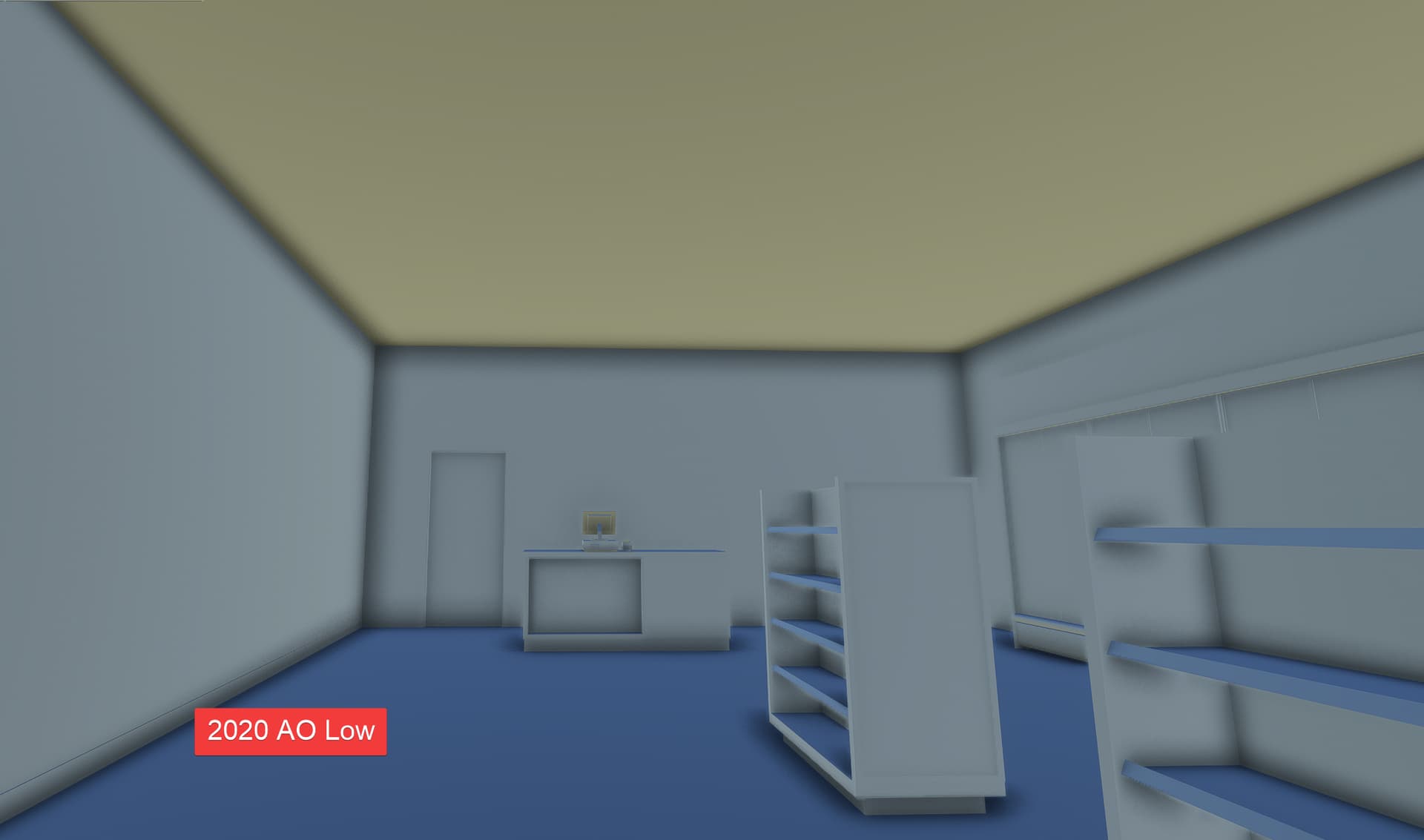
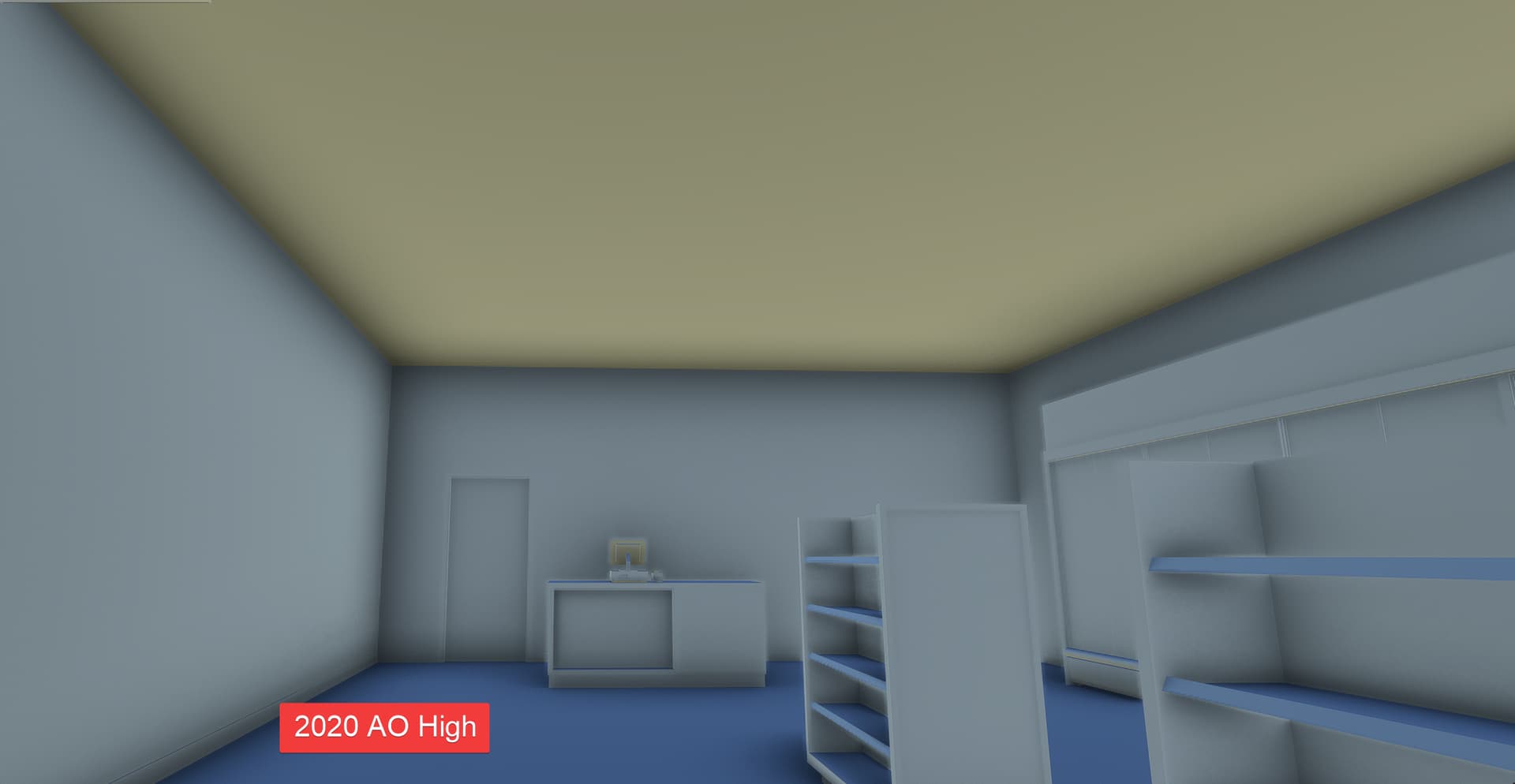
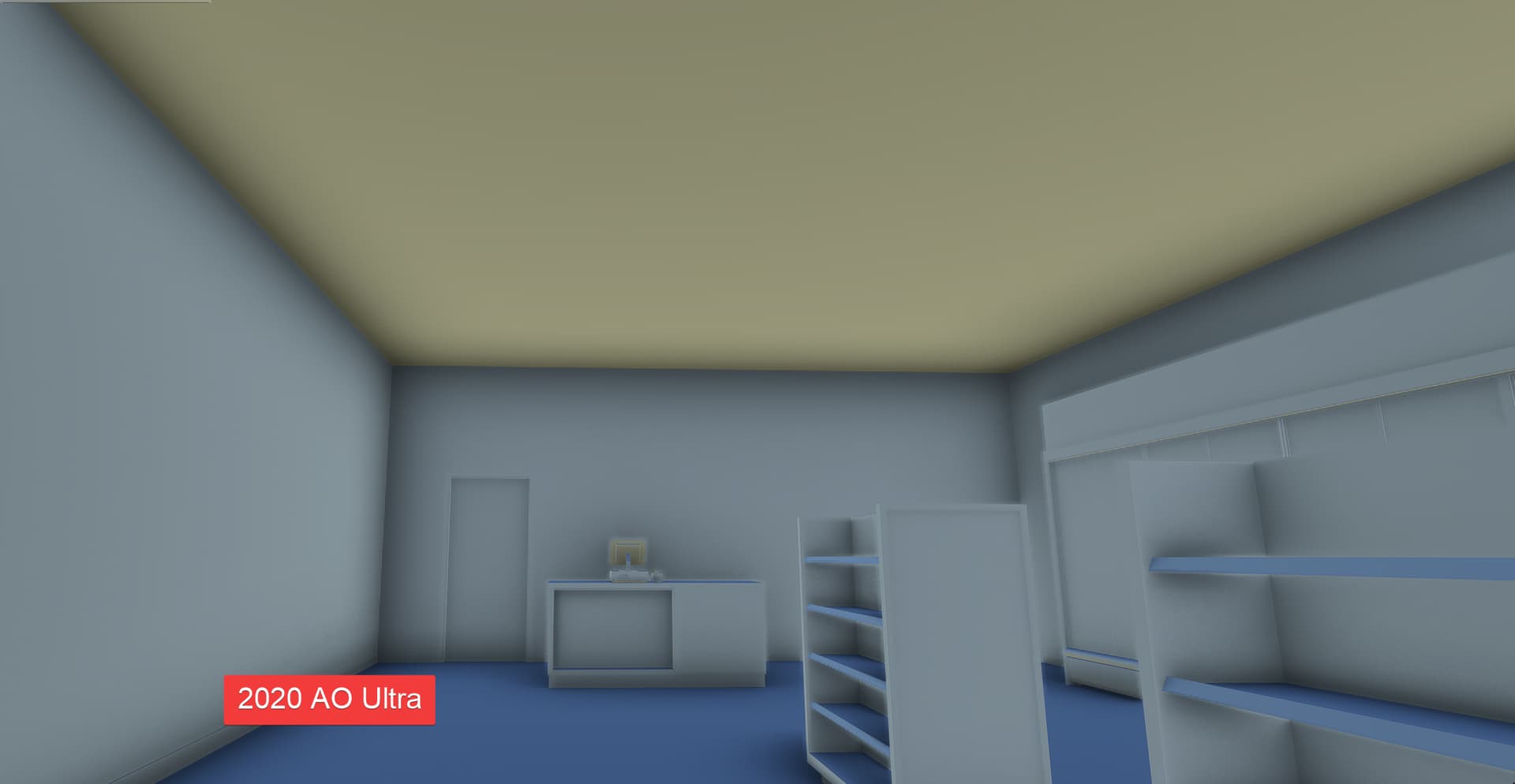
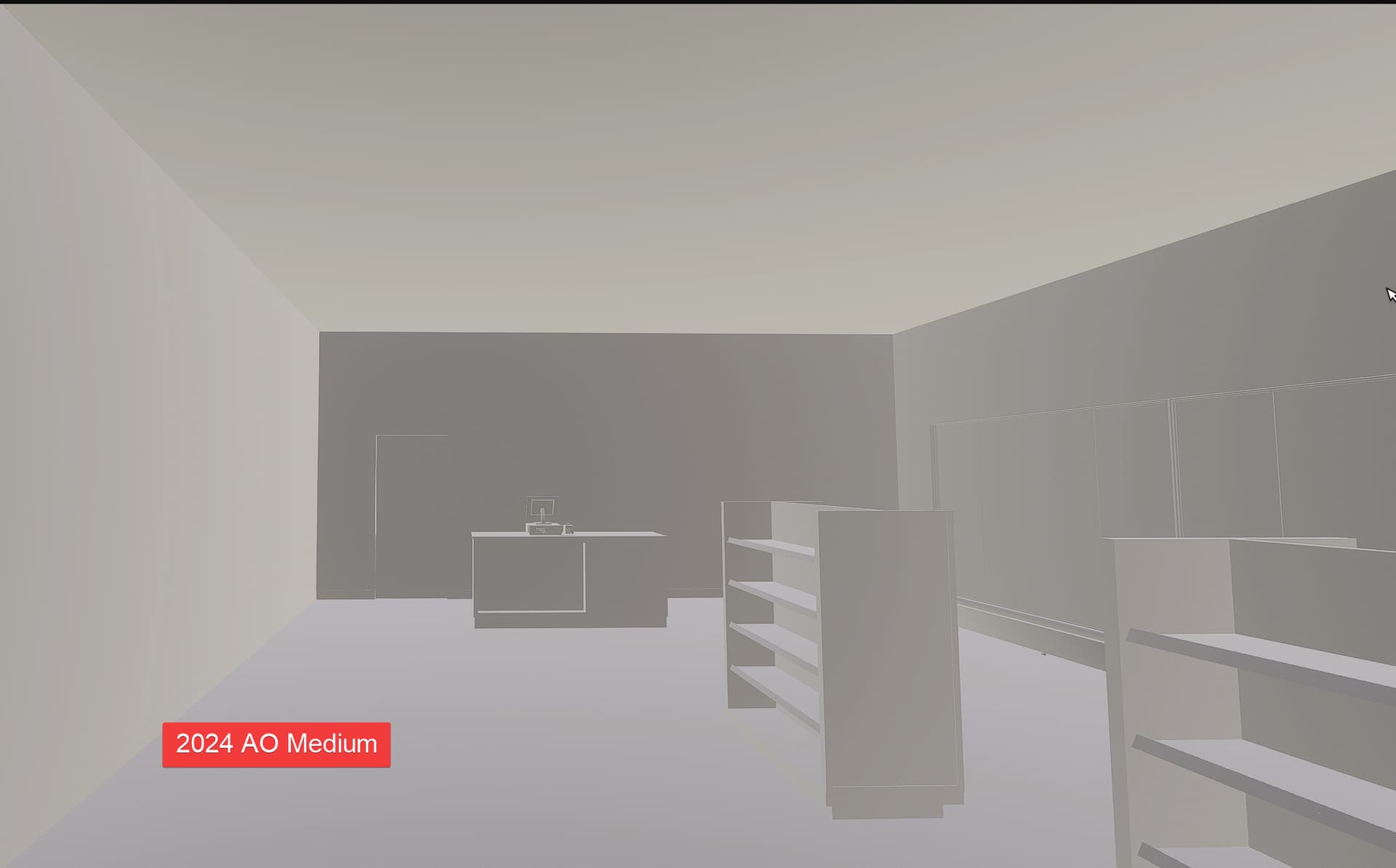
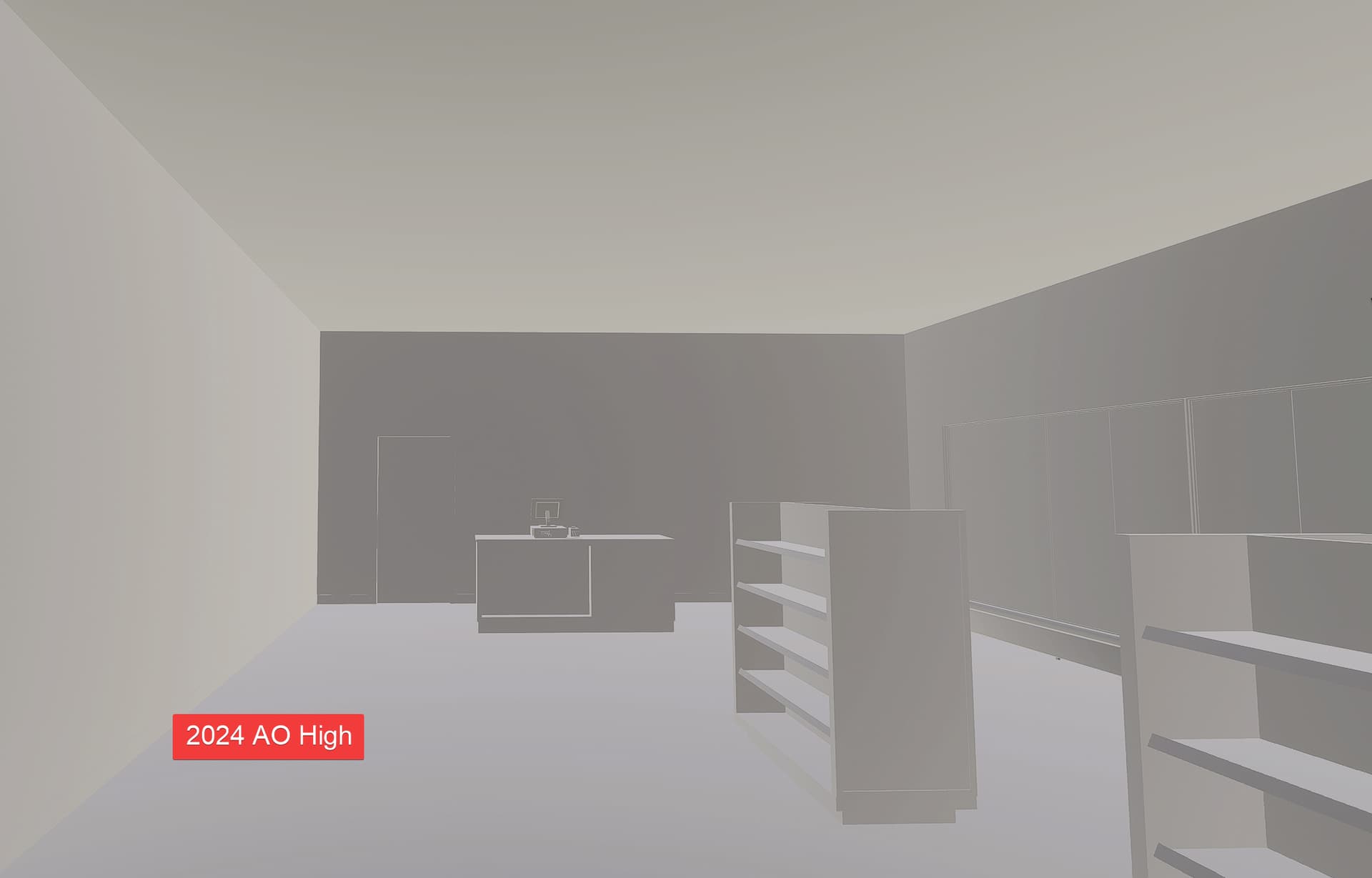
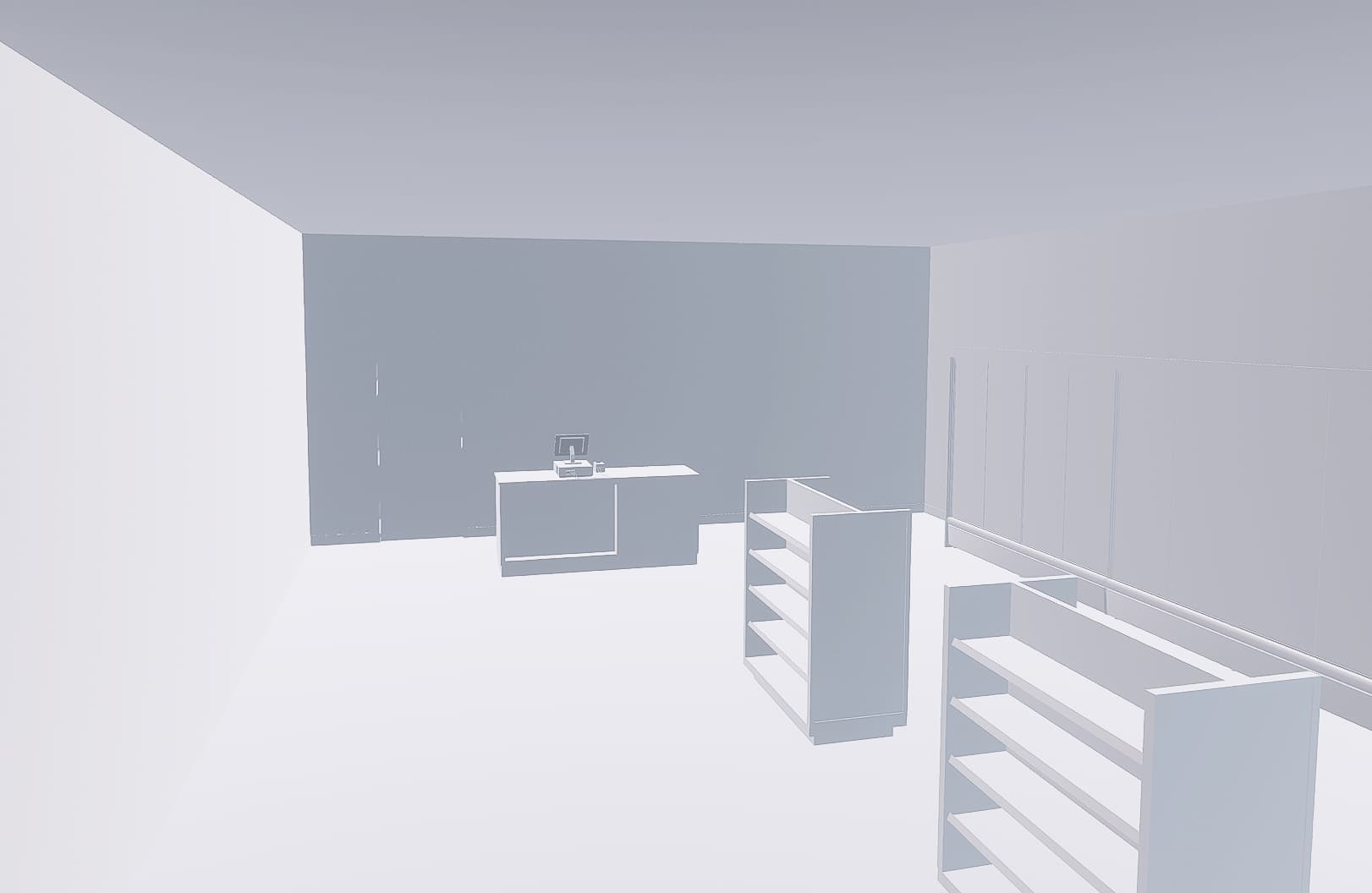
Bug description: In 2024 (the latest build but could be that others are affected too) the ambien occlusion produces by the game engine is barely visible if visible at all. I was always wondering why 24 looked so washed out and bland compared to 2020 and always though it was the new lighting engine that just looked weird in some scenarios. However, I just exported a new untextured object into the sim an noticed that it barely has any AO compared to 2020. So I did some digging and compared the two sims two each other and also tried out different AO options to see the difference. To my surprise, there is absolutely zero difference in 2024 between AO Off and AO Ultra. Take a look at the comparison below, it think it is more clear what I mean then.
Looking at those comparisons it really looks like as if the AO is bugged because it is basically non existent, and there is no difference bewteen the settings whatsover. After looking at this I think this is the main reason why I always though 24 looks bland and in some instances worse than 2020, and I would really like to see more AO added, or at least get it working as it should, because no difference between ULTRA and OFF seems a little bit suspicious to me. This setting is especially important since the use of tileable textures to achive higher resolution in sceneries becomes more and more popular and baked AO is more of a burden on VRAM than anything else.
Repro steps: Look at a non textured object (preferably interiors) in 2020 and 2024 and compare them.
Attachments:
All Pictures were taken during at the same time and weather settings:
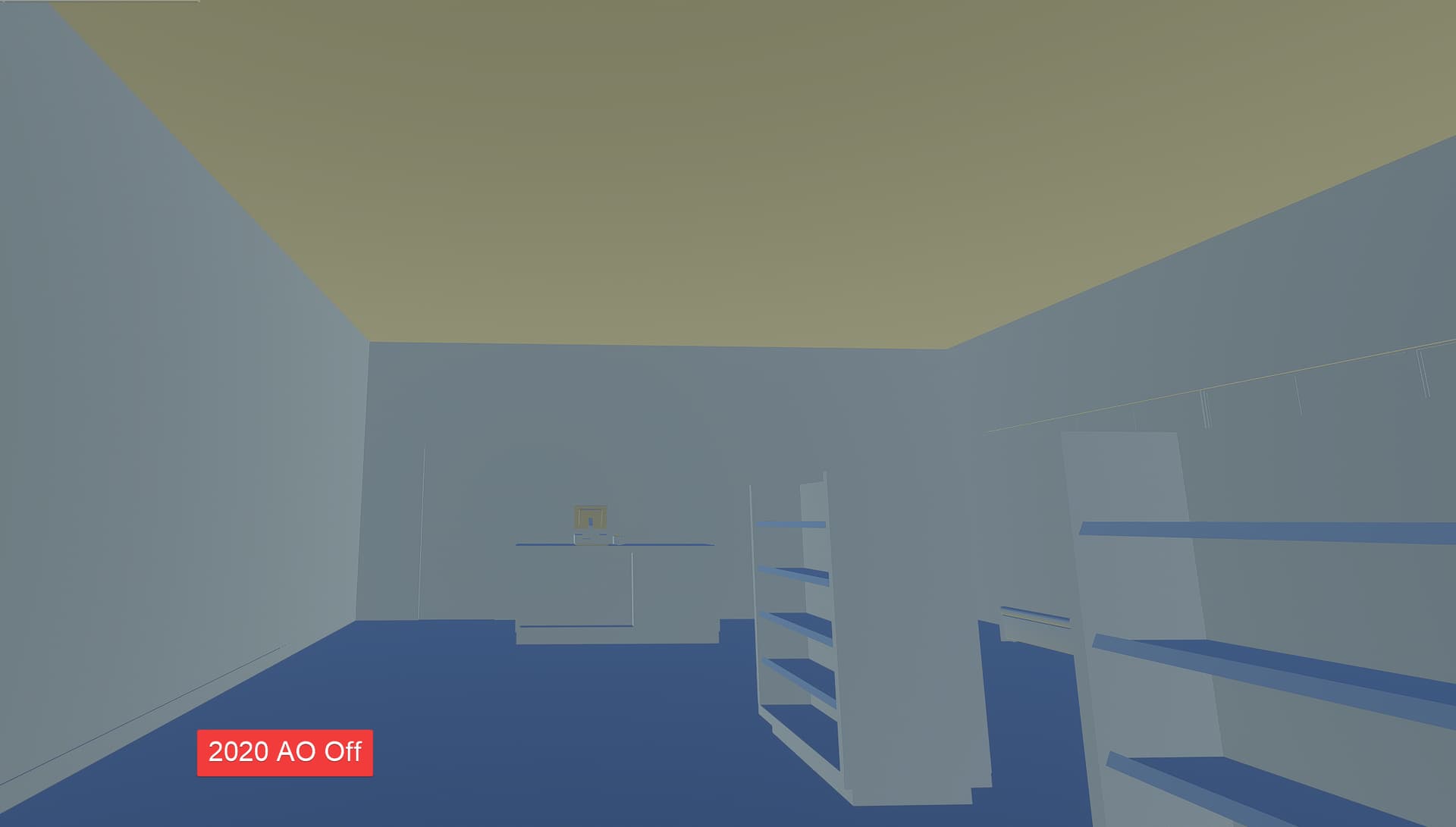
As you can see, in 2020 there is a good amount of AO on basically all settings which gets less and less throughout the various settings. However, in 2024 they all look exactly the same, and have almost no AO at all.
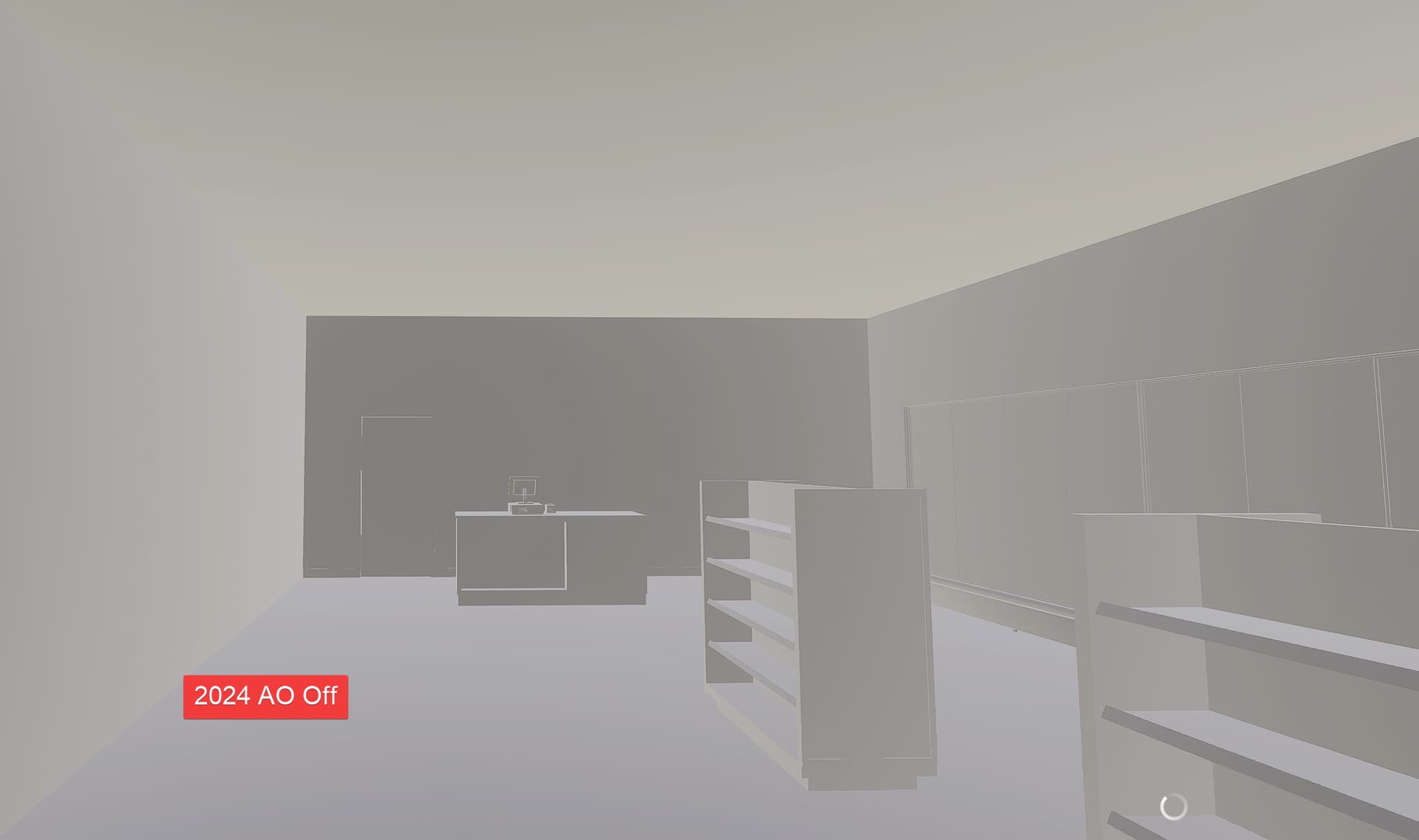
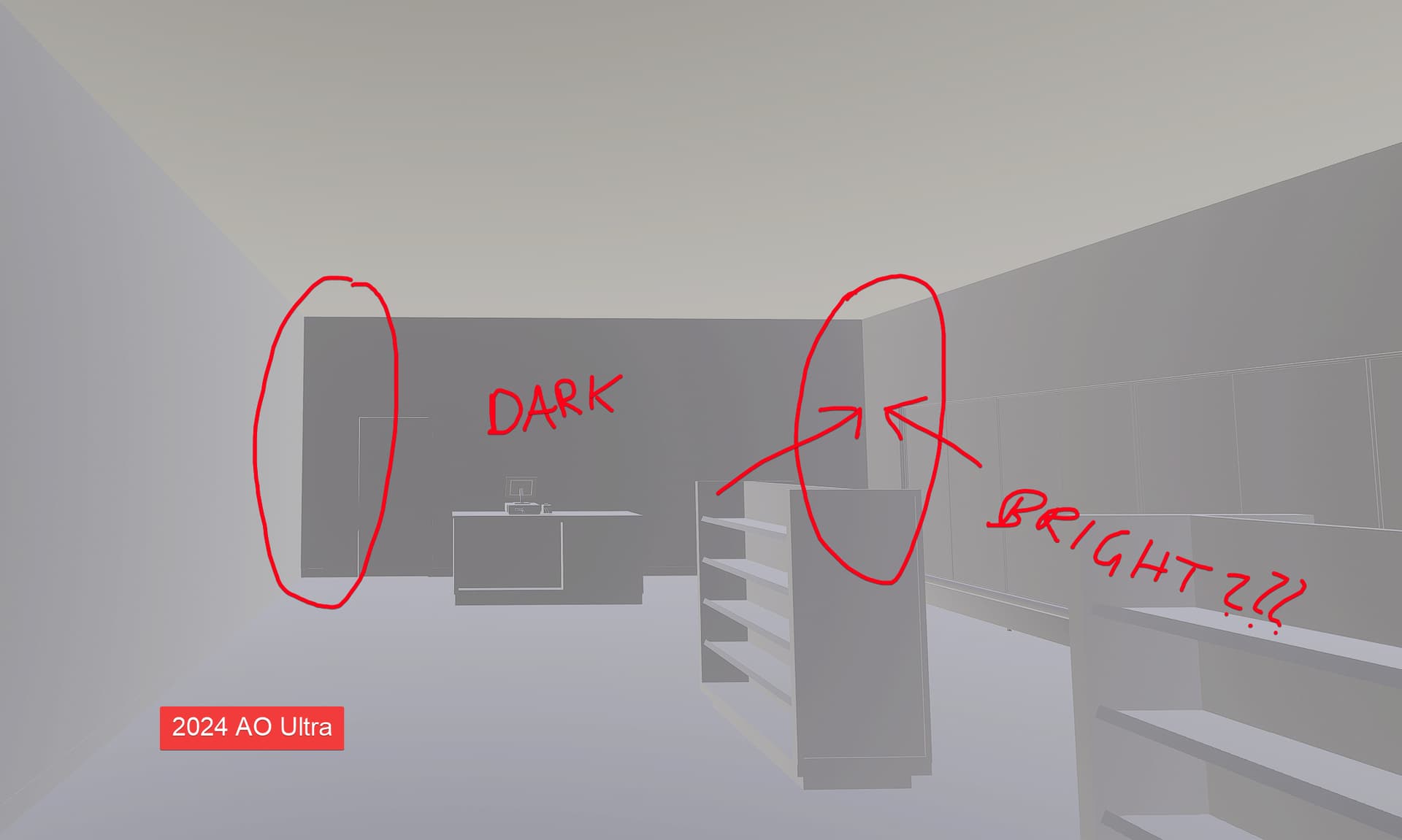
Please consider adding more AO back to the game. I really think that this is the exact reason why the sim looks so much more bland, washed out, and overexposed compared to 2020.
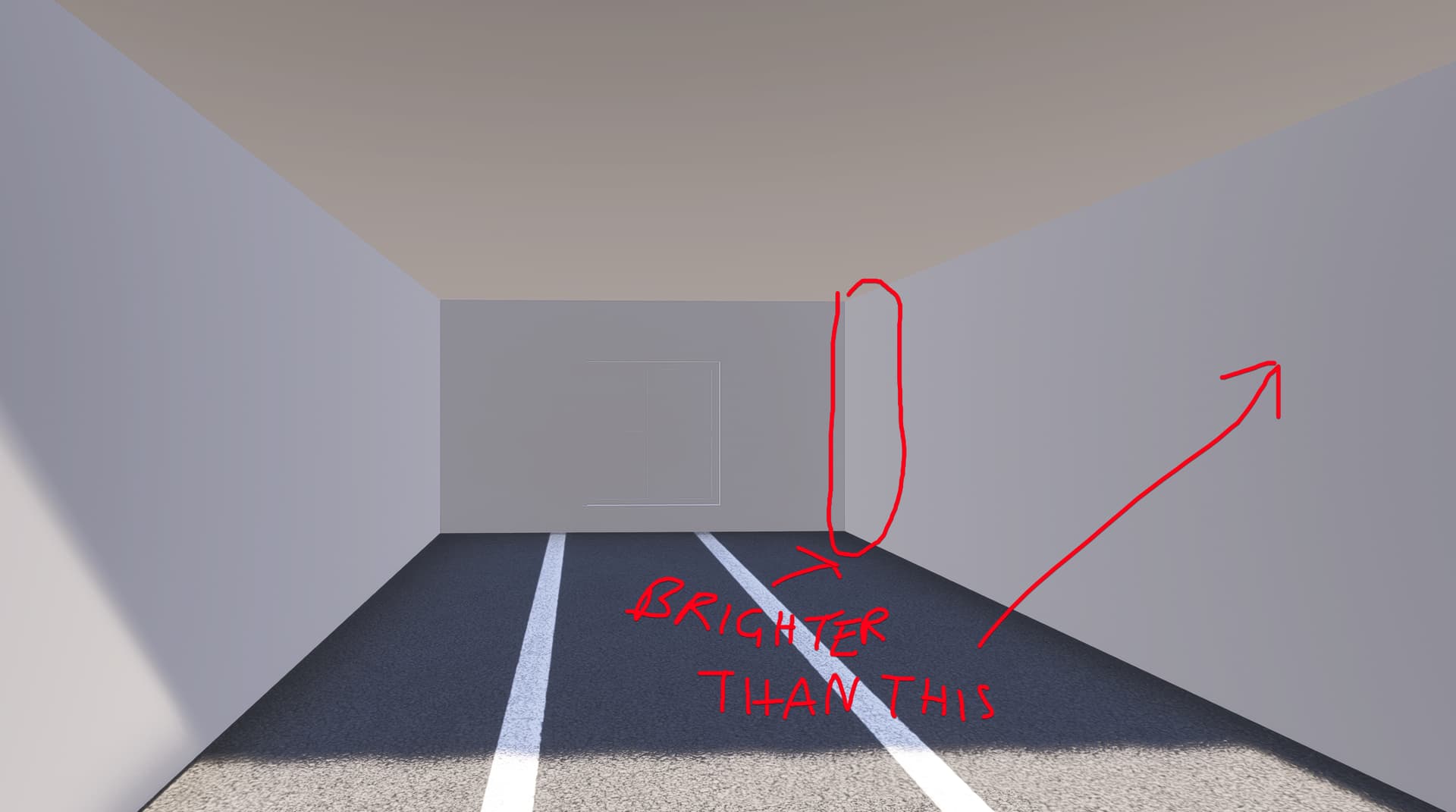
In fact, the AO is almost reversed. On Ultra, basically the only setting that has at least a little bit of AO, the areas that should be dark and affected by AO are brighter than the areas that shouldn’t be affected!
I did some further diging and I suspect the lighting engine to be at fault. During the day, depending on where the sun is positioned, AO mostly disappears completely - even in areas that are not hit by the sun. (and even if they were, there should still be at least some AO visible.
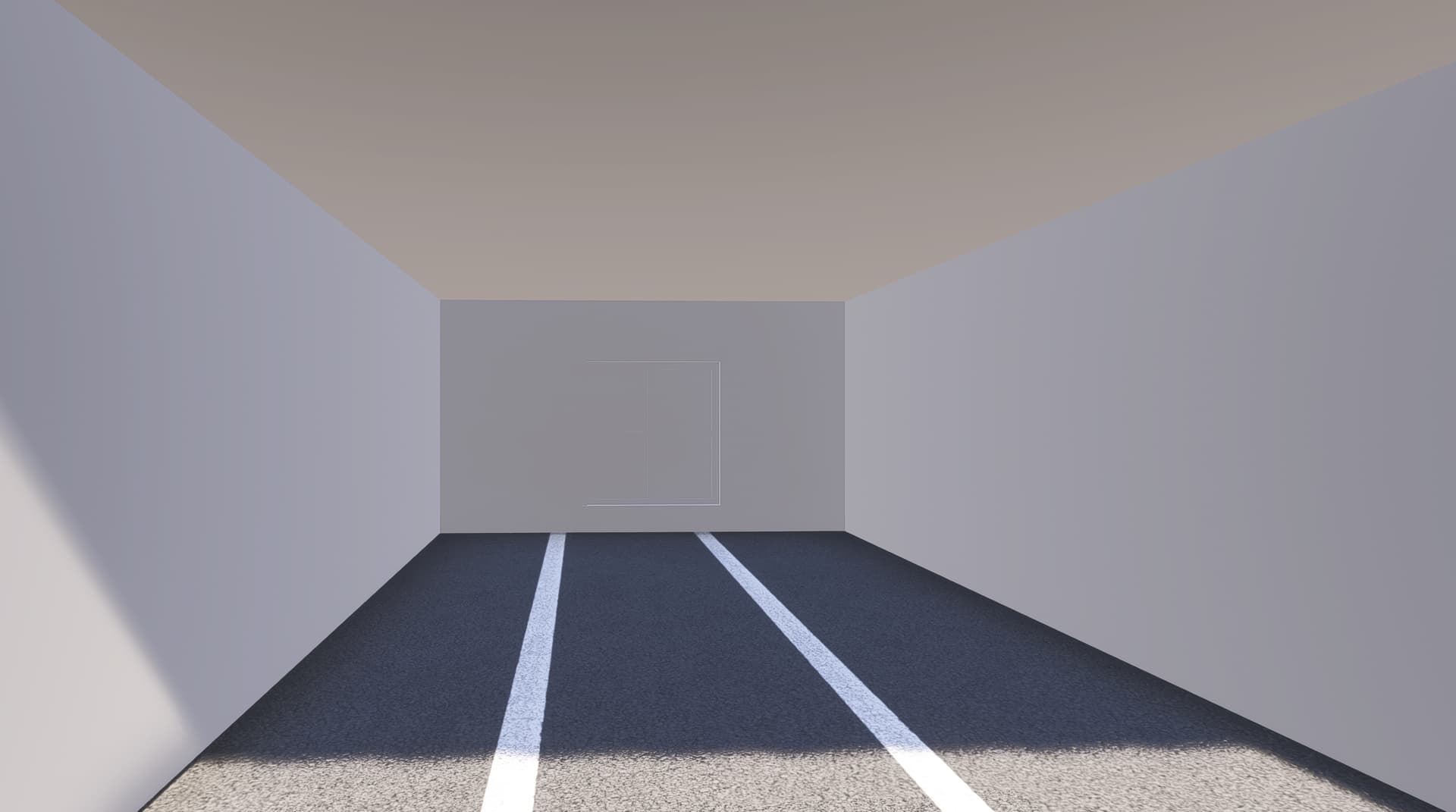
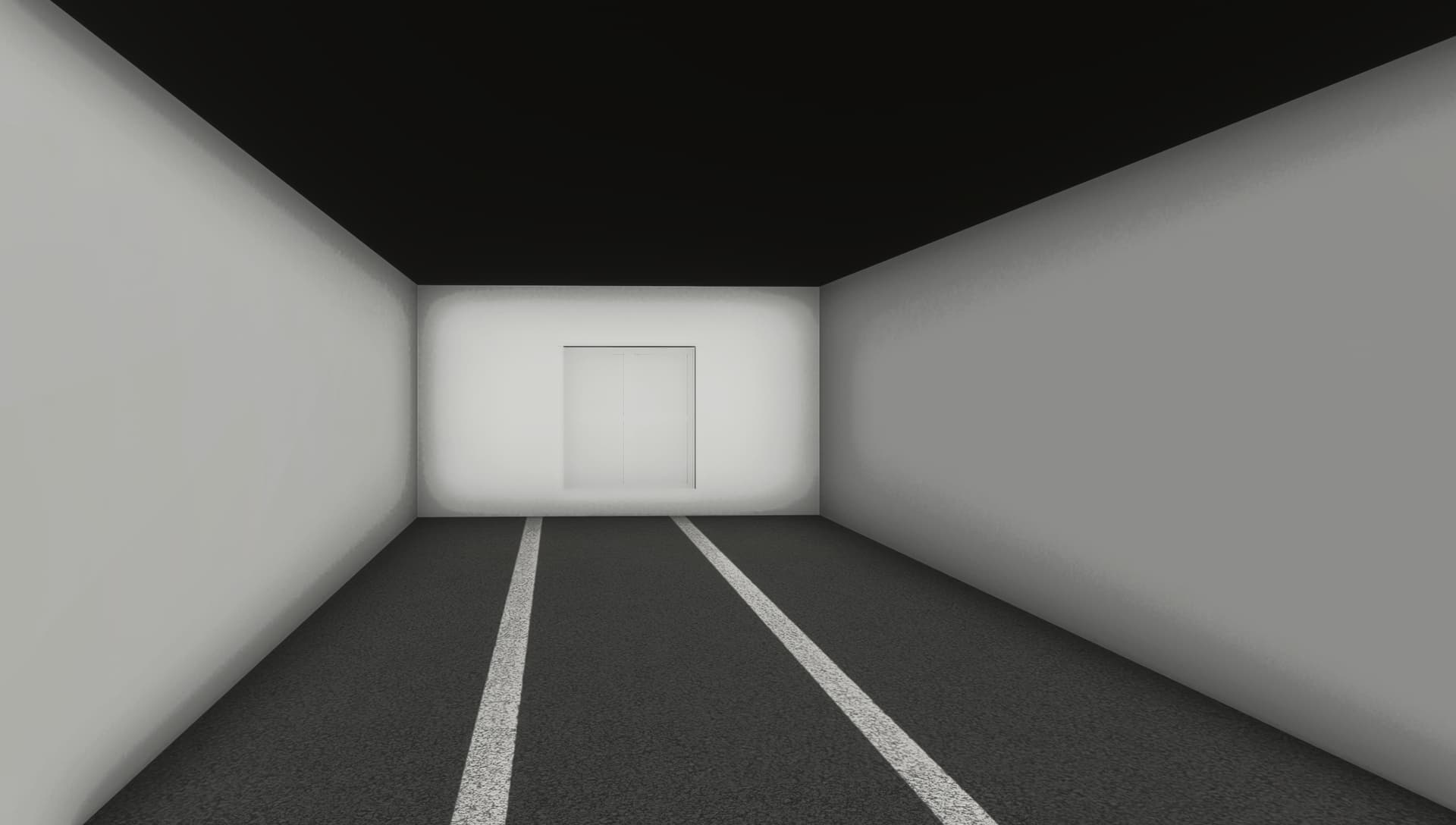
This is the room from the original Screenshot. It is part of an interior and completely shut of from direct sunlight. As you can see, during the day AO is non existent, whereas during the night it is clearly visible.
Both are from 2024 with the same AO settings. Only time of day changed.
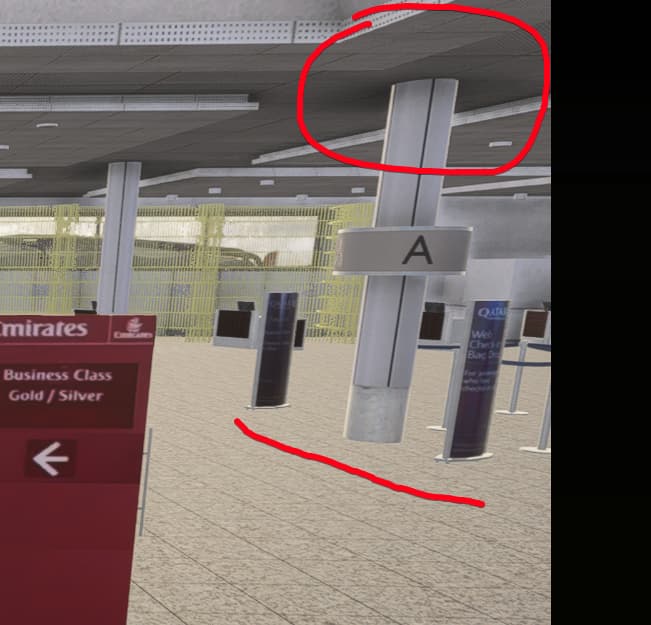
I have no idea how the AO is created by the engine, but I do know that it is definitely off and not only looks worse than 2020, but looks unrealistic in general and it needs to be adjusted. indirect sunlight should not affect AO to that extend and no matter the time of day outside there still needs to be at least some sort of AO displayed. Especially in rooms etc. 2020 was able to do that. PLease bring it back. This is a regression from the previous title.
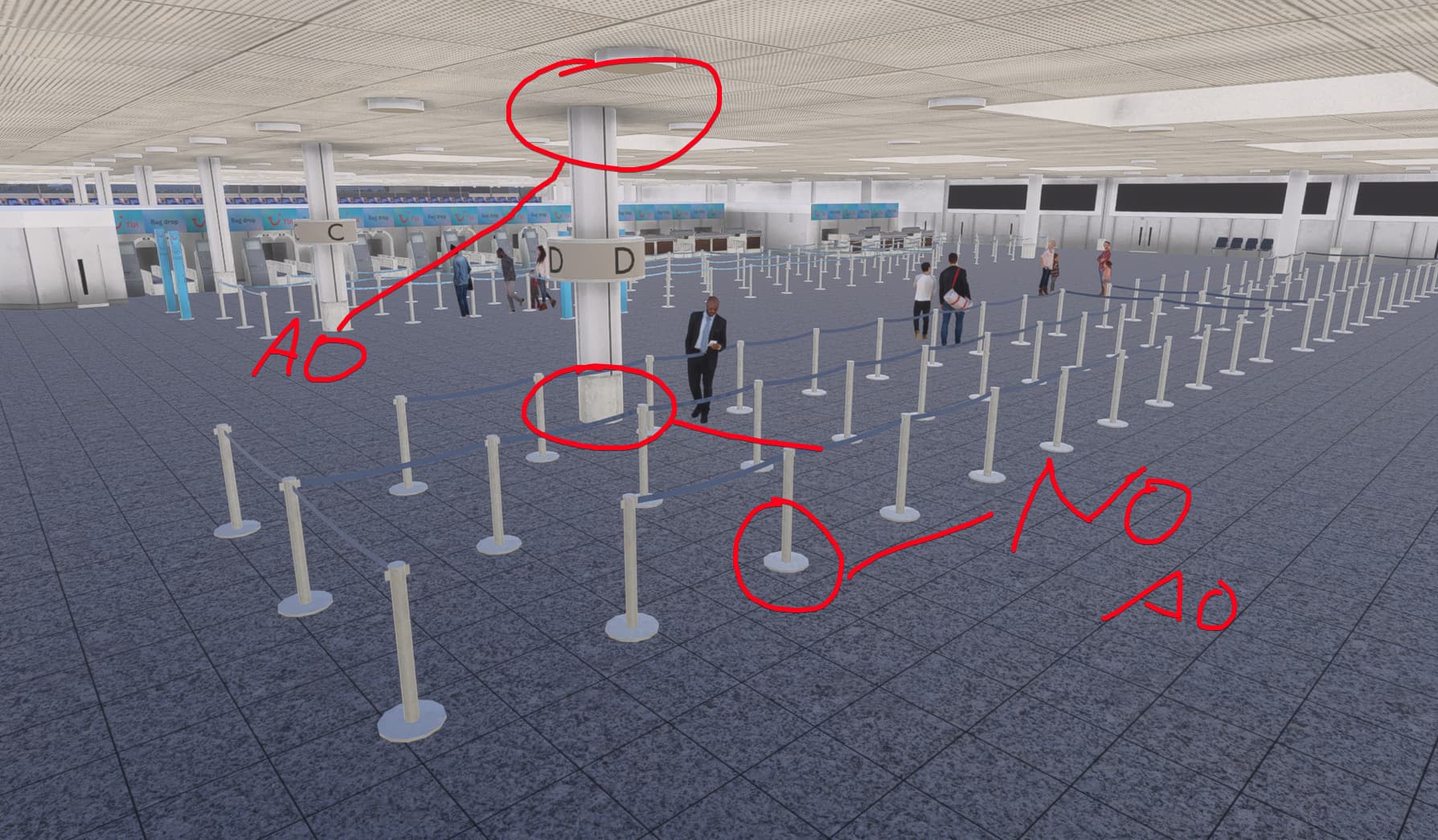
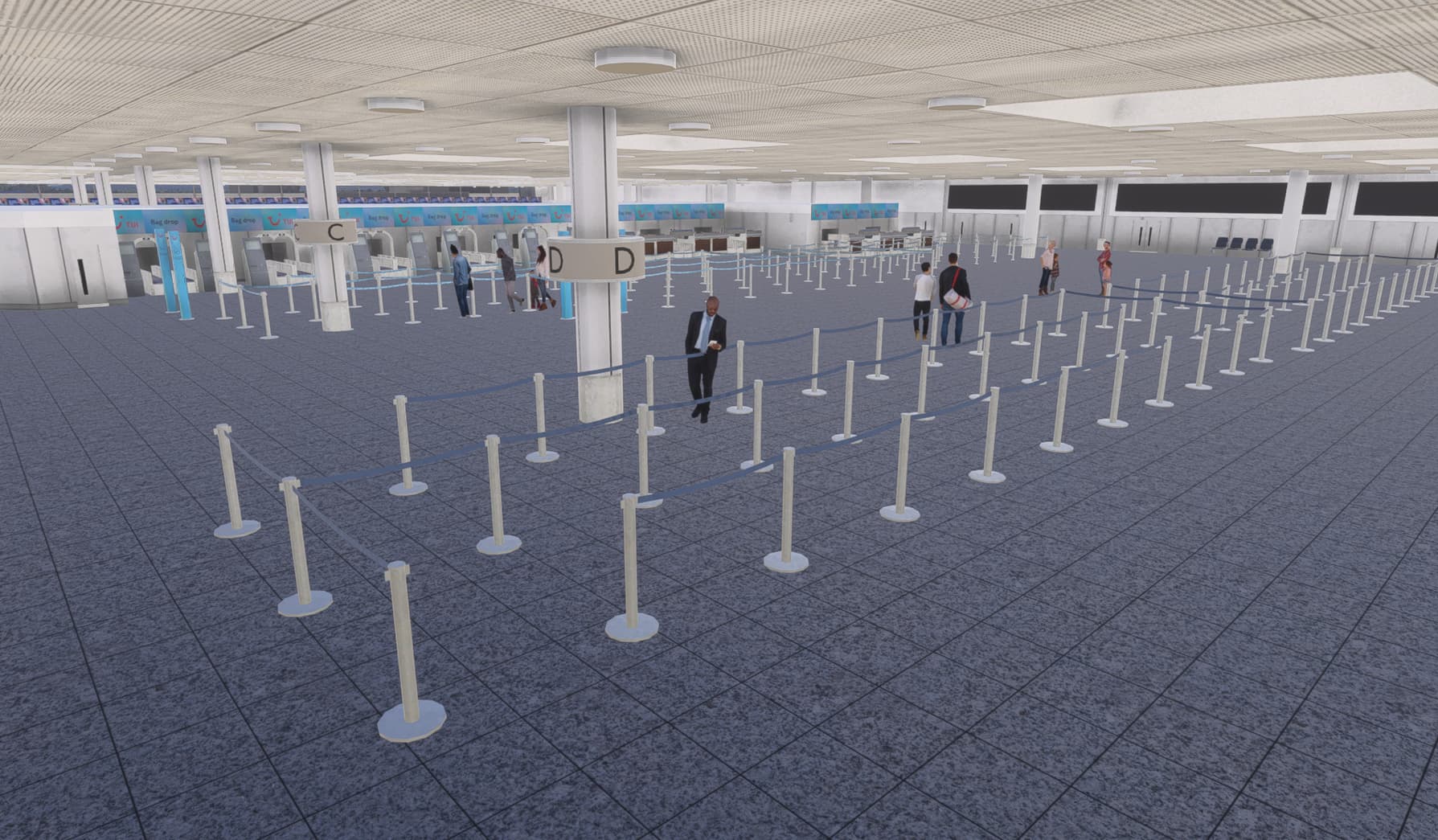
Another weird anomaly I found is that some parts cause AO whilst others don’t. Example this pillar here. The top part, where it meets the ceiiling, has AO, but the bottom part, where it meets the floor, and also the stanchions next to it, seems to have non at all.
Can you check the metalness on the materials of objects that produces this issue?
And try applying a material with metalness set to 0 on your untextured scene.
It seems that’s what’s causing the absence of SSAO.
I will get you a Metal channel debug of the textured screenshots above later today.
As for the untextured meshes: I have foudn that when you apply textures to them, in general, it does get better, however, in some lighting conditions, as explained and shown above, the AO still looks less prominent than it does in 2020 even with textured applied (also when metalness is set to 0 but I need to test that first if metallnes has an impact).
Once I get back home I’ll send you the requested pictures!
So as you can see in this scnery, for reasons I don’t know, the floor is metallic. If I understand you correctly this is the issue, right? You assume that metallic surfaces don’t take on/produce AO?
If so it all makes senset, because like I mentioned above it seems to work better at night
And since the metallic channels is not and has never been correctly rendered at night ( I assume due to a limitation) the metallness does not impact AO anymore at night.
No no, this is not what I meant. I meant that I don’t know the reason as for why this is metallic because it is not our scenery so I don’t know what material properties they used. This was just meant to be an example
But according to what we found now is that it should be solved, for this specific case, by the dev removing the metallic value from the texture. I already let them know so they can take a look at it.
this is what I actually wanted to show off haha. Sorry for my confusing wording! Thanks for looking into it! Very much appreciated
Upon review by our technical artists, it was deemed this is the expected behavior for metallic materials in MSFS 2024 and that SSAO on such materials in MSFS 2020 was incorrect.
If, for some reason, you need to circumvent this and have AO on metallic materials, AO maps should be used instead.
Texturing with tiled textures is becoming more and more popular to reduce the VRAM impact and achive better resolution. I hope this is something that can be added back for the next iteration of the sim…
This is not the point. The point is it adds another step to the workflow which wasn’t necessary before, making an already tedious task even more tedious. The goal should be to simplify workflows and optimise them, not go a step back and make them more time consuming. That’s not only the case in our niche hobby, but goes for all industries.
got a question if you don’t mind: How did you get the vertexpaint to fade with a gradient in the sim?
Not because of the AO issue now but I am just doing some groundpoly work I would like to ad such a gradient too, but whenever I apply a vertex colour to a vertex, or along an edge like you did here, in the sim it always fills the whole polygon? Would appreciate the help
Hmmm, doesn’t work for me unfortunately. I added the 2 knife cuts after I assigned the vertex colour to the middle edge, and in the blender it looks as I expect, but in the sim it still fill the whole polygon for some reason.
Perhaps projected mesh doesn’t show vertex coloring. You could bake the vertex coloring as a texture and use that with an occlusion material or mixed with the albedo. DiffuseAOfromVertex.zip (713.2 KB)
This is a vertex color and a tile_aluminium_grey_albedo baked to a new aluminum (*sp) texture.