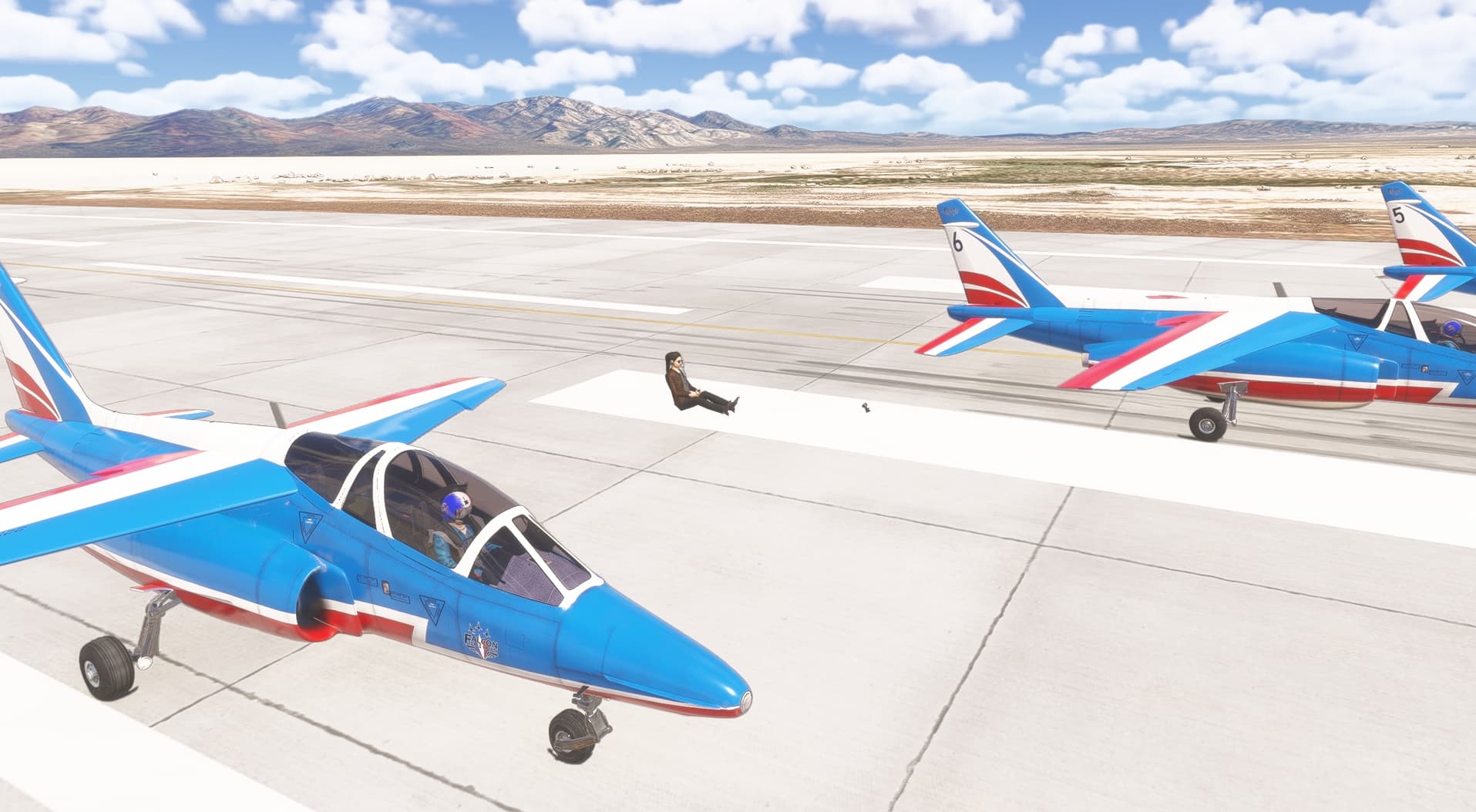
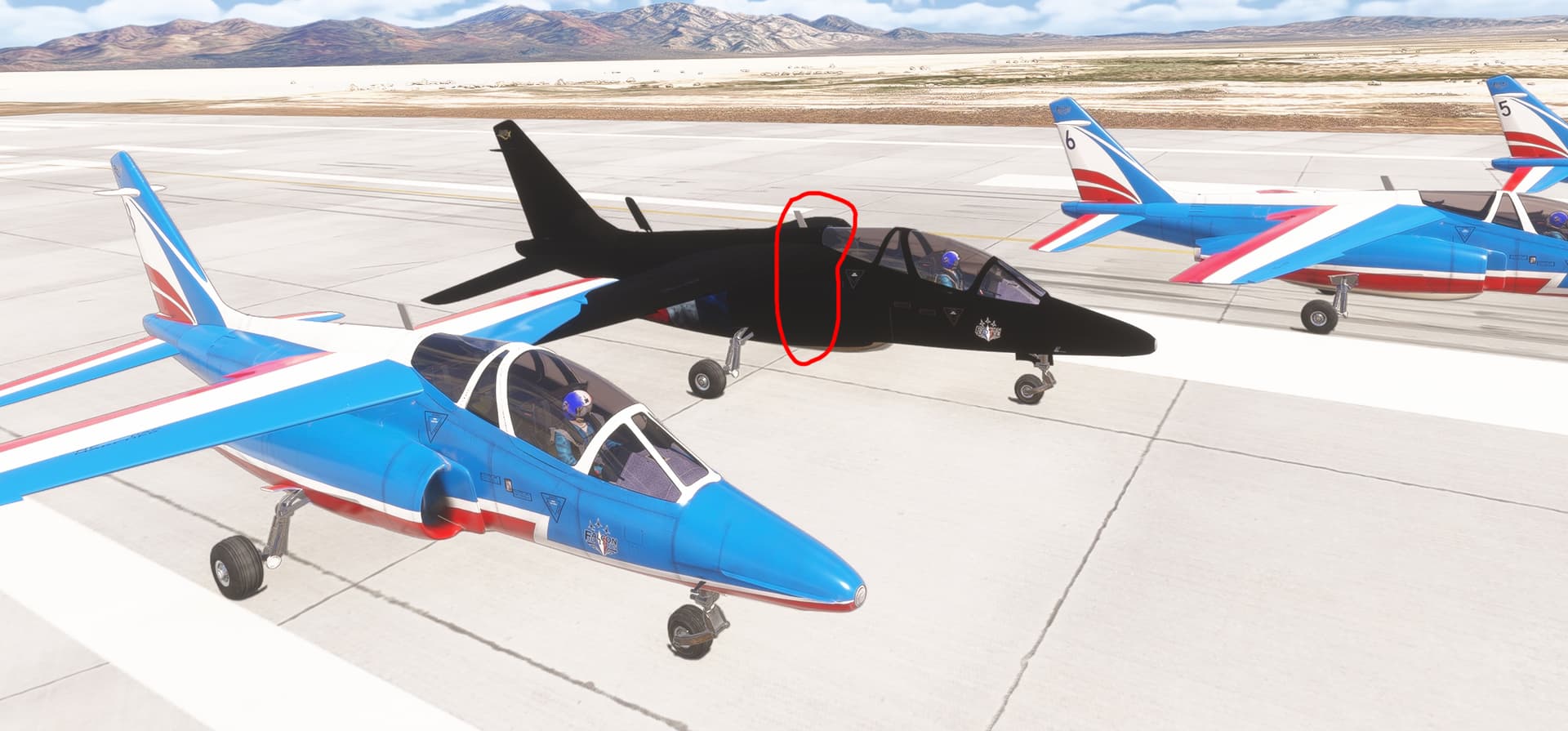
I appreciate that this was logged as a bug. It’s affecting immersion for a project I’m working on where, in multiplayer, my custom pilot model has the user’s avatar sitting on the pilot’s lap. Kind of…unnerving
We have the MSFS stock avatar appearing standing in our MSFS 2024 built package glider cockpit always at the same times (when spawning in, in multiplayer). I’m pretty sure we’ve always had the same with 2020 packages in 2024 but didn’t really expect that to be fixed for 2020 planes. Sounds the same as described in this thread. Spawn-in is kinda odd, as our pilots look at the avatar’s butt for a few moments as they’re seated reclined in the cockpit, but the avatar then disappears so there’s no real harm done. In multiplayer we just have avatars sticking up out of the cockpits which looks lame but again the planes fly ok. Understandably the stock avatar & support isn’t suitable for gliders.
If this issue is all my bad comprehension of coding to hide the stock avatar then apologies, but I’d appreciate guidance if so.
We have “hide_avatar = 1” in the [PILOT] section of aircraft.cfg - my understanding is this is supposed to work in the cockpit view (but we see a delay on spawn in) and not necessarily external.
I think the MSFS avatar implementation probably focussed on the idea the pilot will want to walk around after they’ve landed, so the avatar should be visible then, but that code is only partially implemented - the avatar enable/disable code is somehow dependent on the internal/external views which fails if the plane’s in the air.
Is that right there’s no cfg-file option to reliably hide the avatar in the plane from both inside and outside?
This recurring issue still doesn’t seem to have been resolved…! My various testers have confirmed that, on aircraft compiled for MSFS 2020 but flown in MSFS 2024, the co-pilot frequently appears while on the ground… and during the early stages of flight! Perhaps Asobo could fix the problem after so many months without a satisfactory solution… @FlyingRaccoon
In the meantime, thank you for carefully reviewing this issue!