Blue Highlighted objects no longer show emissive decals

Version: 1.3.23.0

Frequency: Consistently

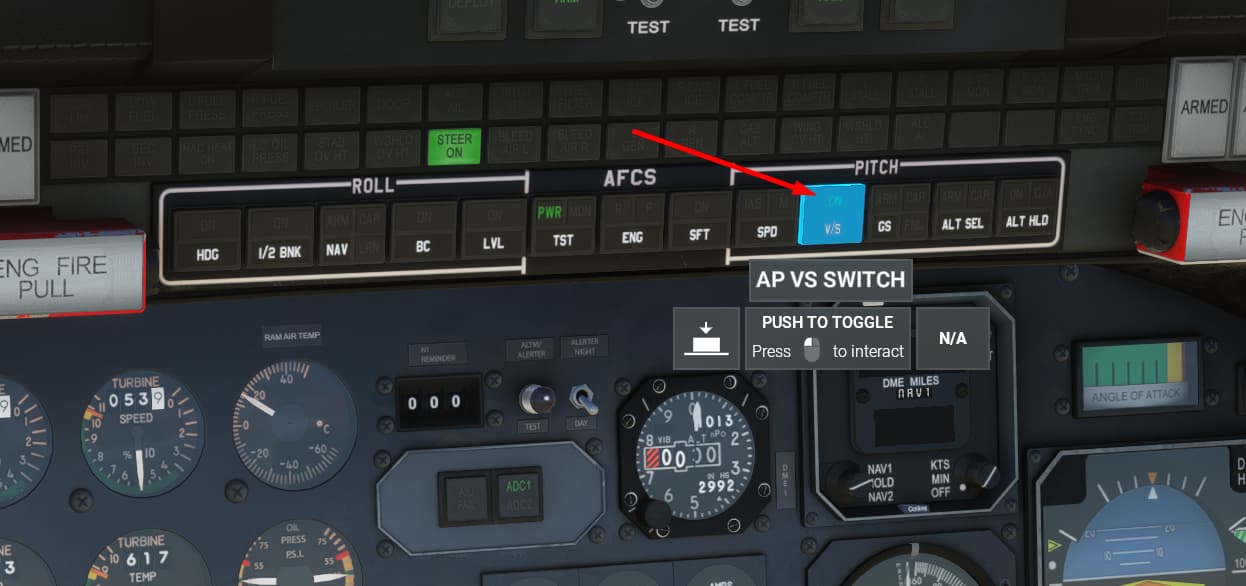
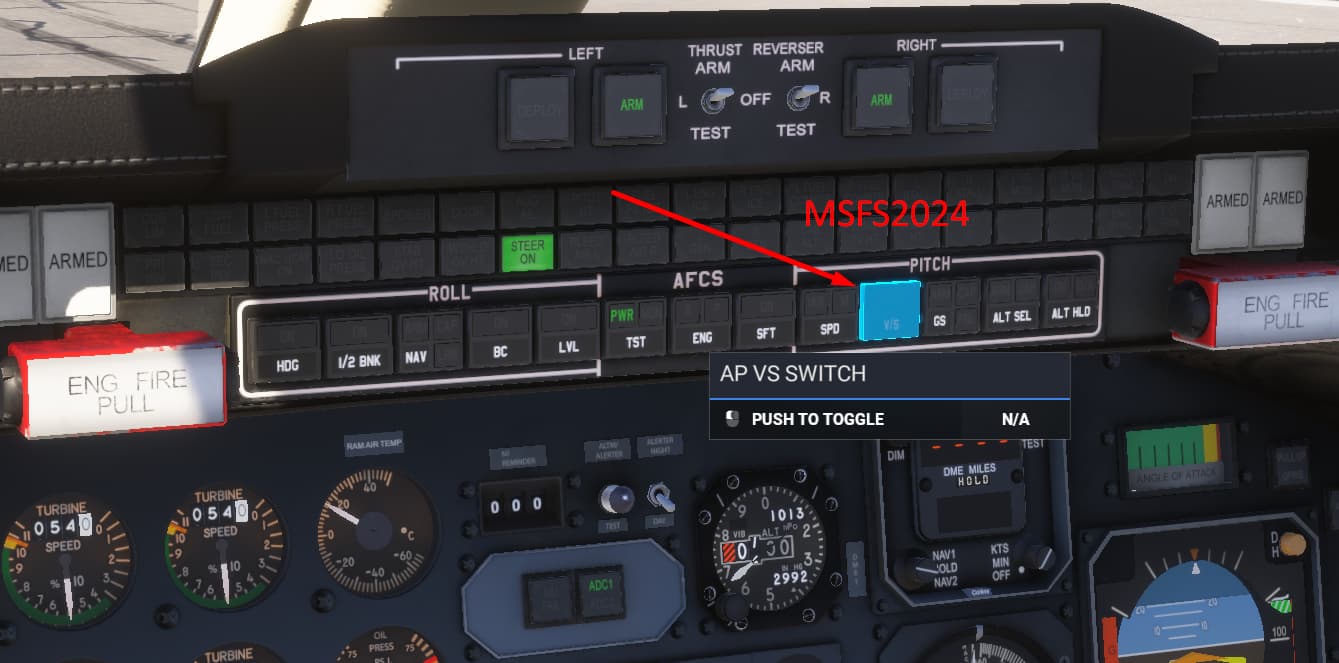
Bug description: As seen in the images we can no longer see the emissive decal on the autopilot buttons for 2024 where in the 2020 you can see them. The albedo seems to be ok as that is the white decal. Only the green emissive decal hides when the mouse hovers over the object.

MSFS 2020
MSFS 2024 (The decal was on before hovering the mouse over the button!)
Confirmed - same issue here.

1 Like

Hello @Flysimware @simfan ,

We made a fix in SU3 (currently in flighting).
Can you test and report back if it’s better ?

Thank you,

Regards,
Boris

1 Like

Hi @Boris

no, it’s not improved for me. Mind you, this is a 2020 aircraft and cockpit model.

What is the aircraft you are using to test ?

Regards,
Boris

Same issue using SU3 beta in the Learjet 35A.

Hello @Flysimware

Can you share a screenshot of the issue (with the Learjet 35A) ?

This is what I have in SU3 :


Regards,
Boris

Already showed you an example of the Learjet 2020 in my original post. See first post above.

Here is also an example of the decals. We have to have code for each decal so the only decal that is working in 2024 is the decal on the actual node. In this case it’s the GS. But the others three decals fail to be seen. In 2020 this never happened. So something is broken.

MSFS 2020

MSFS 2024 (The decal was on before hovering the mouse over the button!

Thanks for quickly fixing the issue!!!

1 Like

Confirmed - fixed in 1.5.3.0

2 Likes

I did not have time to announce that a fix was already included in the current build so thank you all for the feedback :wink:

Regards,
Boris

2 Likes