Erratic behavior of simobjects on collision meshes

Version: 1.0.72.0

Frequency: Consistently

Severity: Blocker

Context:
Aerosoft Mount Everest VNKL Lukla
Aerosoft Mount Everest VNPL Phaplu
Aerosoft Mount Everest YWKS Casey

Bug description:
In general simobjects don’t work anymore when they are supposed to load or move on collision meshes. Come to think of airports that are either completely set up as 3D models (all of the above, because terrain resolution doesn’t allow the features required there), airport bridges crossing highways, elevated curbsides behind airports, people at viewing terraces in rooftops, animated people within terminals… This will mess up many addons.

Repro steps:
Loading either of above mentioned addons you will encounter the following:

Simobjects Type “Ground Vehicle” (connected to SPB script that lets them follow a path):
Not working on collision meshes at all. They won’t even follow a ramp onto the collision mesh when coming from “real terrain”.

Simobjects type “AI aircraft”
Not working on collision meshes at all.

Simobjects Type “Animal” and “Human”:
Seem to have similar behaviors. Generally they can follow a ramp onto a collision mesh IF they are moving through a SPB script but but they are - sometimes not, sometimes yes - loaded on top of a collision mesh when static (=loaded through XML placement).

Attachments:
Aerosoft EDDB Berlin airport curbside, “GroundVehicle” can’t follow elevated curbside:

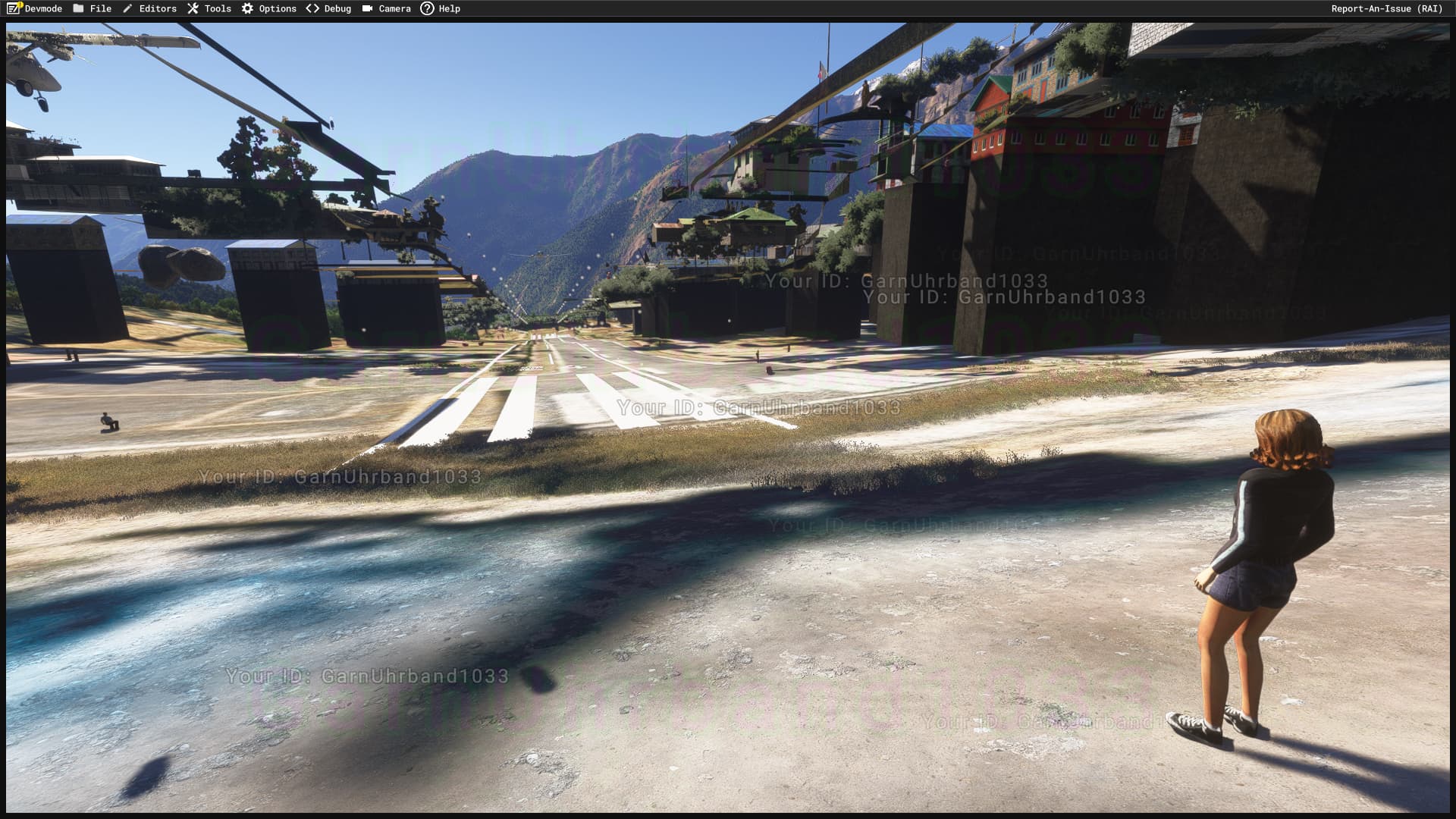
Aerosoft VNLK Lukla, XML placed “Human” not loading on top of collision mesh (in another instance she does load there):
Aerosoft EGAR Rothera, snowmobiles (type=groundvehicle) sinking into collision mesh to the right:

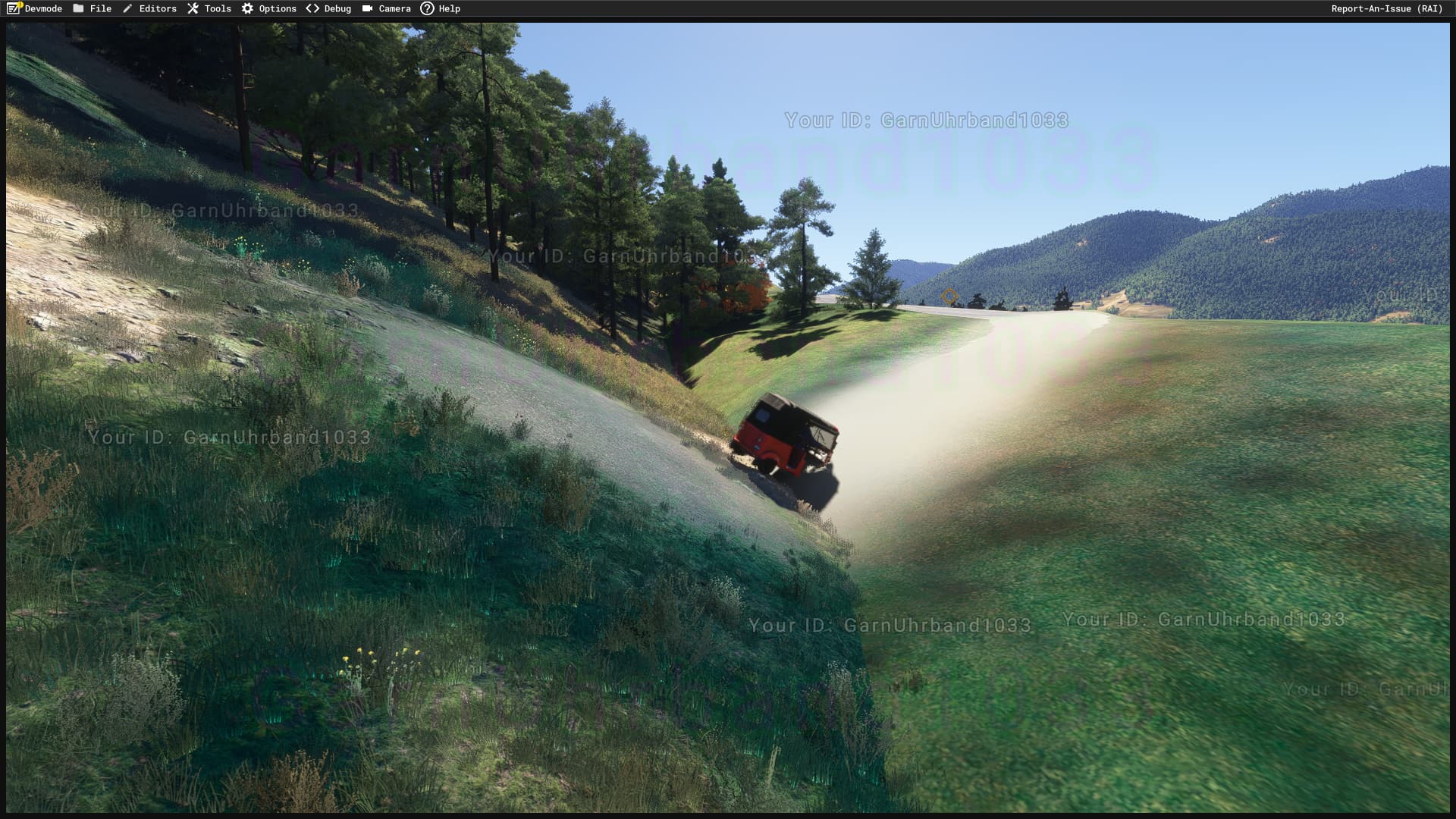
Aerosoft VNPL Phaplu, tuktuk (type=groundvehicle) sinking into collision mesh to the right:
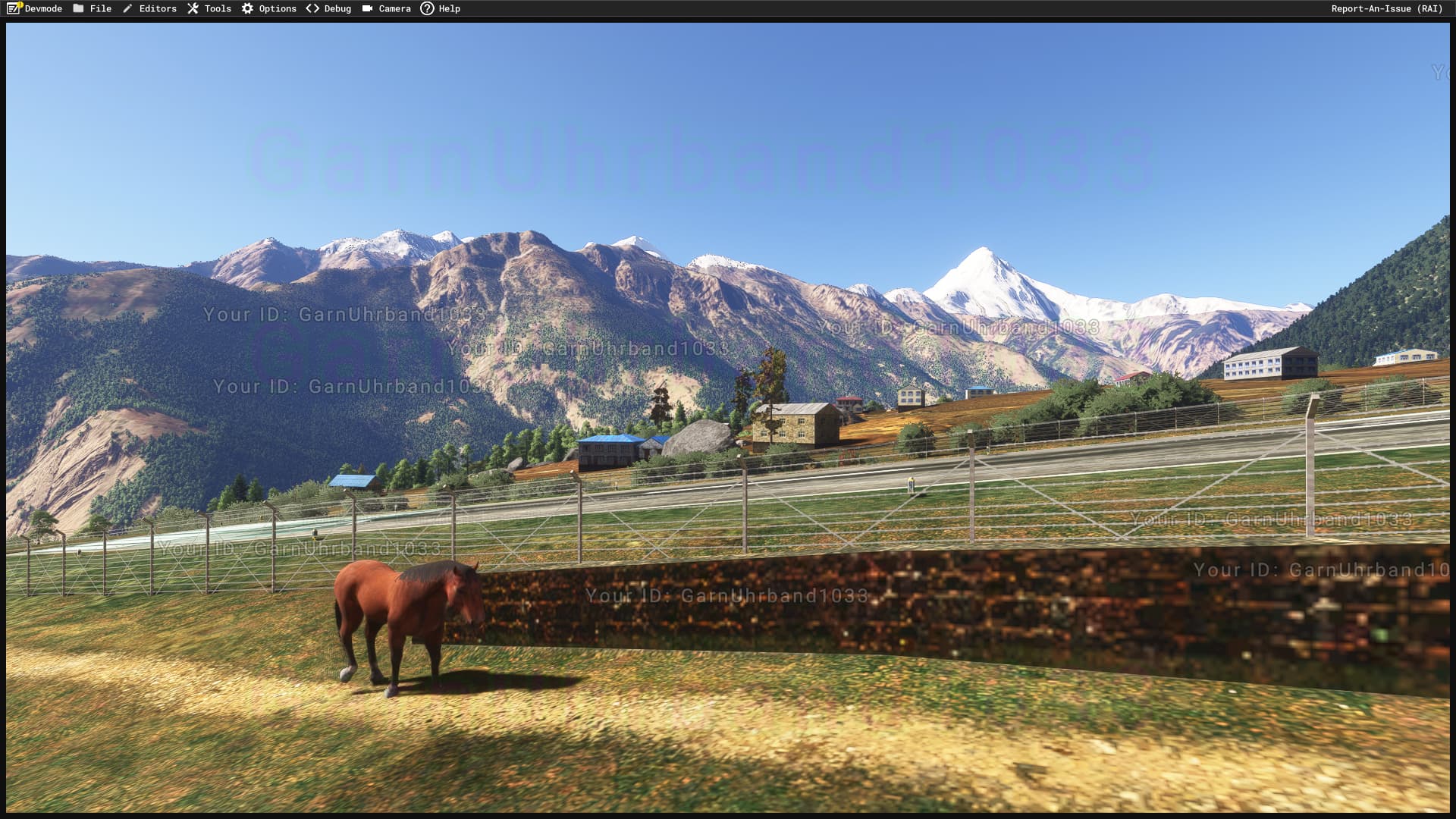
Aerosoft VNLK Lukla, type=animal properly following collision mesh (however, only after getting up there through a ramp)
1 Like

Any news on this one? Having simobjects not working on collision meshes will be a huge problem for so many scenarios. Oil rigs, elevated airport curbsides, taxiway bridges etc…

Confirming the same collision mesh issue. With our Humber Bridge add-on, there are several custom ground vehicles following waypoints in WorldScripts, which cross the bridge deck (collision mesh).
This behaves normally in FS2020, but a direct test of the same package in 2024 results in the collision mesh being ignored.

The mesh IS detected with camera collision enabled, and also detected by the player aircraft.

Just checked it in the latest 1.0.84.0 release. Nothing seems to have changed, simobjects on collision meshes are still not working as expected. :frowning:

Still the same in 1.0.88.0

Still confirmed in release version 1.1.7.0.

Also seems to affect default airports:

Hello @Sasa,

Can you test in SU2 and let us know if you’re still encountering the issue?

I ran a few tests at VNLK and so far, everything looks good.

Regards,
Boris

1 Like

Hi,
We are adding a flag “ground” that can be applied on collision surfaces.


Objects that use this flag will behave similarly as the ground when a sim object is requesting its altitude. It should help you solve your problem.
It will be available in a futur update (not SU2).

Regards,
Xavier / Asobo

1 Like

I checked it with the MSFS2020 build of VNLK and the vehicle on the helipad apron still won’t drive on top of the 3D terrain model - but I’m not sure if that’s due to the MSFS2020 compatibility mode.

But I also checked is in the MSFS2024 version of VNPL and there it definitely doesn’t work still:

Both VNPL and VNLK have been uploaded into the marketplace weeks ago but nothing happened to their release yet, so I’m not sure if you can check them out through marketplace on your end.

That’s great news! Hope that will fix it eventually.

Any updates on this?

And will this be applied to procedural scenery structures like rooftop helipads and buildings so that we can have dynamically placed simobjects respecting these elevated surfaces?

As far as I can tell this has been fixed (regarding above mentioned VNPL).

Closing as by_design as there is no way to restore a behavior identical to MSFS 2020 in such cases.
The only way to resolve the issue is to port the impacted packages to MSFS 2024 and add the newly introduced collision flag to appropriate terrain meshes.

Regards,
Sylvain

@FlyingRaccoon Any feedback regarding my earlier question about plans to add the new collision flag to certain default assets, in particular procedurally generated rooftop helipads?

The helipads or the buildings they are placed on?
As far as I can tell, helipads already have collisions to allow spawning SimObjects on top of them.

For the procedural buildings, this is not planned.

Regards,
Sylvain

Thanks!

It seems I stumbled over an edge case where this doesn’t work (SimObject spawns at ground level instead of on the hard surface above), but it involves some third party HTML/JS code originally developed for MSFS 2020 dynamically spawning its own SimObjects. I also cannot reproduce this when spawning the same SimObject via the SimObject Spawner. I will try to debug this further and either report back here (if it hints at an MSFS bug/regression) or notify the third party devs.

Happy holidays!

1 Like