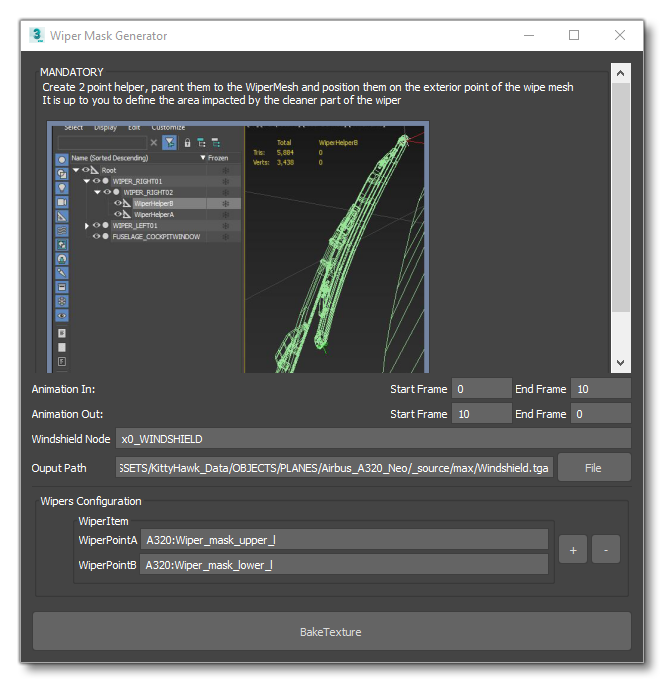
FS2024 Wiper rain clearing issue

I’ve set up the wipers, the helpers and generated the wiper mask for our airplane, and set up the material in animation groups, but I am still not getting an animated clearing effect on the windshield in sim.

We use custom wiper part names, XML and code, so my question is:

Does the wiper rain clearing require the use any specific wiper part names, or does the XML for the wipers require the use of HANDLING_Wipers xml template?

Also, once the mask is created, are the helpers used to create it still required on the model? On both exterior and interior models? On either one?

-Vin, PMDG

1 Like

Hello @PMDG_Vin

No it doesn’t, in fact the wipers templates have barely changed, if at all since MSFS 2020.
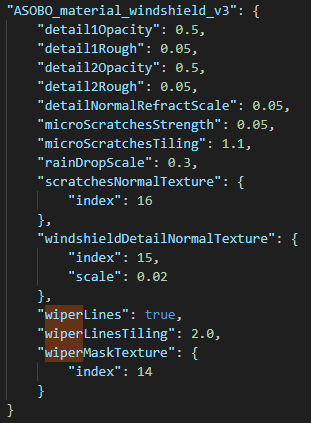
The link with the sim is done through the windshield material wiper properties in the gltf.

image

I don’t think exporting the helpers is required, they’re just used to generate the mask.

If you can’t make it work despite following the documentation, please create a bug report and provide us with your package and we will have a look.

Regards,
Sylvain

1 Like

@FlyingRaccoon

Hi Sylvain,

What files would you need from us? Max file of the windshield? The GLTF/Bin files? Relevant bitmaps? The entire airplane?

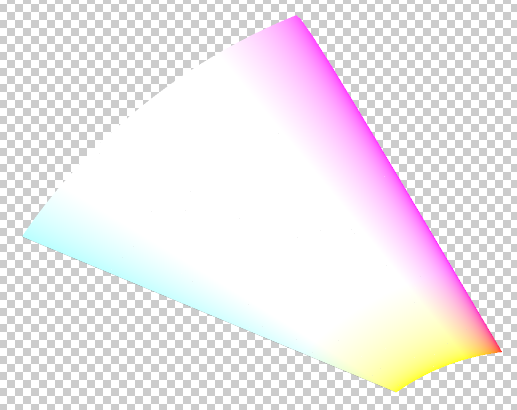
Also, our generated masks look pale compared to ones shown in the SDK. Could this be an issue?

image

Best,
Vin

We also had issues with windshield wiping on the C17. Everything setup as SDK Spec, no wiping effects display.

1 Like

Hello @PMDG_Vin

Preferably a full SimObject package, whether it’s your real aircraft or a dummy for repro.
We gain a lot of time that way and this excludes the possibility of us creating a different context for our repro.

@vantech I’ll have a look at the C17 as well

Regards,
Sylvain

1 Like

Thank you Sylvain. Bug report posted

No need, I had converted this topic to a bug report already :wink:

1 Like

Hello @PMDG_Vin

The mask is not supposed to look like this.
Make sure your “animation out” frames are in the correct order and both matches your animation length.

Regards,
Sylvain

@FlyingRaccoon

Thanks for the reply.

Rather than animating the wipers swipe up and then run the animation in reverse for down, we animated a full up/down cycle. Our animation cycles in 0-50 then out 50-100, and we set up the mask generation to reflect this. Do you suggest redoing the animation so that OUT is just a reversal of IN?

That being said, I did regenerate the mask based on 0-50,50-0 and now see this:

image

It seems improved but there is still a lot of white in there. Does this look right to you?

-Vin

Hello @PMDG_Vin

It appears your issue is coming from the exposure configuration in 3DS Max.
If you have a specific setup here, it impacts the wiper mask baking.

So removing any specific configuration here should solve the issue.
We will also fix this in the plugin and make sure exposure has no influence on the generated mask.
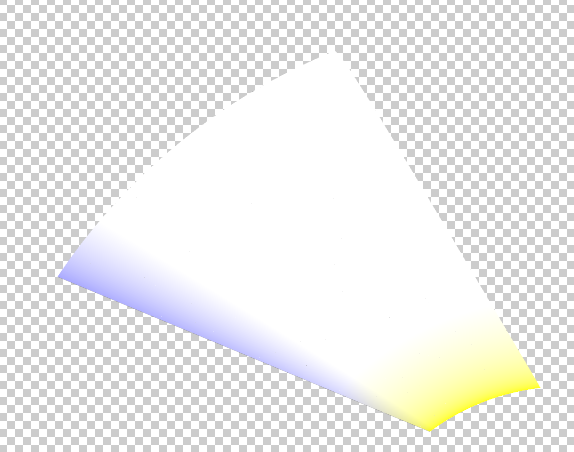
Regards,
Sylvain

1 Like

Thanks so much for the reply, @FlyingRaccoon

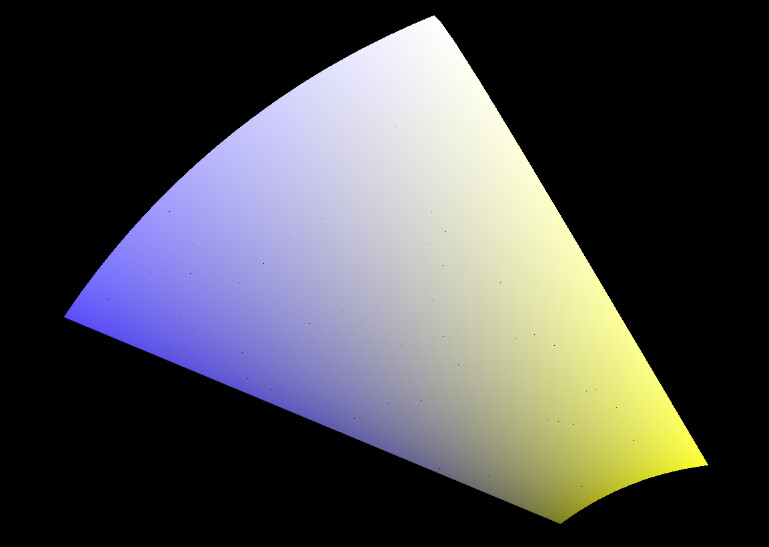
You were right, I did in fact have exposure control there, and when I regenerated the masks, I got a more saturated mask:

I will report back on how it performs in sim.

Best,
Vin

2 Likes

That looks better :wink:

1 Like

@FlyingRaccoon

Finally got around to fully testing this. Still not seeing any rain clearing despite a properly generated windhshield mask. Any ideas?

1 Like

Any new movement/advice on this please? Can’t get it to work either.

Hello @vantech @ximax

We were able to make it work in @PMDG_Vin’s case.
Some guidelines that can help:

  • Make sure the keyframe range provided to the mask generation tool does not overlap (back and forth movement for animation in for example)
    Our way of doing it is, if the wiper is animated in 1 direction from 0 to 10 and the other from 10 to 20, to provide 0-10 as animation in and 10-0 as animation out.
    The mask should look like this:
    image

  • Something that can be overlooked as it’s not clear in the current documentation is that animating the wiper state in the Windshield material is required.
    image

The documentation is being rewritten as we speak.
If you are still struggling to make it work, please let us know.

Regards,
Sylvain

1 Like

Still not working in SU2 - Tried all the guidance here and in the SDK. Windshield Material is in the anim. group and the generated mask is in the material.

Is there some bit of XML required to make this work like the insects mask? We’re just using a standard ASOBO_GT_Anim_Template to animate the wiper.

There also seems to be a conflict with what the SDK says for the wiper mask XML file compared to what the texture tool generated. The SDK says is should be MTL_BITMAP_OCCLUSION for the but the texture tool generated MTL_BITMAP_WIPERMASK. Unsure which is correct, neither value fixed the issue.

Also unclear is how to approach this when you have interior and exterior windows. Do you need to create a wiper mask for both? The DA62 SDK example doesn’t use a wiper mask because there is no wiper, but it has the same material applied to both interior and exterior windows (with receive rain checked in both I believe). Outside appears to have normals pointed inward, and interior has them pointed out.

I’ve also tried with 1 layer of glass during troubleshooting. The external glass and wiper are in the same attachment but it still didn’t work with only that.

Hello @BlackbirdSims

You can have a look at the ASOBO_ET_COMMON_WIPER_Template and its subtemplate.

I think the MTL_BITMAP_OCCLUSION is a typo. @Nocturne?

Yes, you will have to generate a dedicated mask if you have a separate material instance for the exterior model.

Regards,
Sylvain

1 Like

I should’ve worded my question better. As with Vins case, we are controlling the wiper through our WASM, it is animated via just the basic template I posted. I should’ve asked: Should the mask work just by virtue of having the animated material in the animation group and having everything else setup per the SDK (IE nothing else additional is required to make this work)?

No not a typo. It used to be that. The list will be updated for the next SDK update.

Not that I am aware of and the documentation doesn’t specify it either.
The ASOBO_ET_COMMON_WIPER_Template template just drives the animation. (the previous template I mentioned was an electrical template inherited from 2020, and doesn’t play a role here)

We saw with Vin’s case that plenty of tiny differences that we haven’t anticipated can get in the way and prevent this system from working.
Could you share a version of your package with us so we can investigate more deeply?

I’m also pushing for us to provide a sample for this.

Regards,
Sylvain

1 Like