Missing co-pilot in cockpit

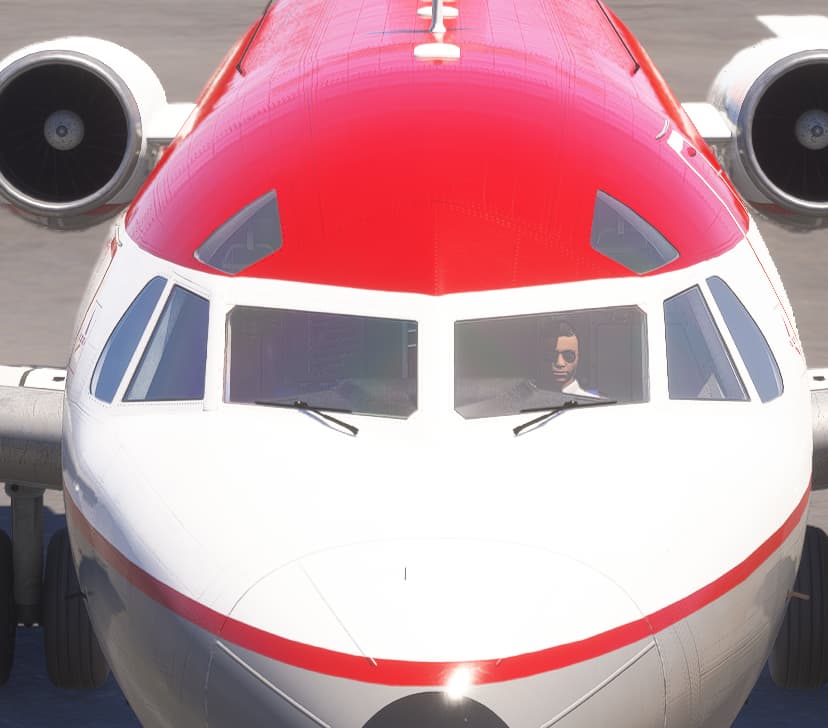
When building an aircraft package within MSFS 2024, I’m struggling to find a way to get the Co-pilot character to show in the cockpit. The Captain works fine, in both the pre-flight walkaround mode and cockpit.

As this is a MSFS 2024 package, I’m using the navigation_graph_pilot file and aircraft.cfg as shown below. Am I missing a step?
navigation_graph_pilot.cfg

[MAINGRAPH.0]
nodes = PILOT_F28,COPILOT_F28,SPAWN_EXTERIOR_F28,SPAWN_EXTERIOR_RTC_F28
massSections = PilotMass,CopilotMass

[NODE.0]
name = PILOT_F28
tag = PILOT
node_occlusion_factor = 1
modelNode = PILOT_0_2024
massSection = PilotMass
interactiveObject = FilePath: InteractionsPreset\Asobo\Seat\Seat_without_seatbelt #Param: ANIMATION_SIT:IDLES_Straight

[NODE.1]
name = COPILOT_F28
tag = COPILOT
node_occlusion_factor = 1
modelNode = PILOT_1_2024
massSection = CopilotMass
interactiveObject = FilePath: InteractionsPreset\Asobo\Seat\Seat_without_seatbelt #Param: ANIMATION_SIT:IDLES_Straight

[NODE.2]
name = SPAWN_EXTERIOR_F28
projectOnGround = true
tag = SPAWN_EXTERIOR
pos = -13.174555,-3.57373,16.773256
pbh = 0,0,34.998962

[NODE.3]
name = SPAWN_EXTERIOR_RTC_F28
projectOnGround = true
tag = SPAWN_EXTERIOR_RTC
pos = -13.174555,-3.57373,16.773256
pbh = 0,0,34.998962

[MassSection.0]
name = PilotMass
stationLoadName = Pilot
maxMass = 170
fillproportion = 1

[MassSection.1]
name = CopilotMass
stationLoadName = Co-pilot
maxMass = 170
fillproportion = 1

aircraft.cfg

[PILOT]
cabin_service = CopilotService
generated_copilot = Copilot
copilot_behavior = COPILOT

Thanks,
Martyn

Hello @MartynJF,

Are you sure you added some weight for the Copilot ?

Other than that I’m not sure of what would be the issue here.
You can send us your project. See 3) Provide Private Content

Regards,
Boris

1 Like

Hi @Boris. Yes, I’ve added the maximum weight for the copilot but no change. I’ll send you the package.

Thanks,
Martyn - Just Flight

2 Likes

Hello,
I am facing the same issue with a native FS24 aircraft. @MartynJF Did you find a solution?

Thanks,
Romain

1 Like

No, unfortunately not yet. I’m waiting to hear back from the Asobo team after sending them one of our packages for investigation.

Thanks,
Martyn - Just Flight

2 Likes

I appear to have resolved this by changing:

[NODE.0]
name = PILOT_RJ
tag = PILOT
node_occlusion_factor = 1
modelNode = PILOT_0
massSection = PilotMass
interactiveObject = FilePath: InteractionsPreset\Asobo\Seat\Seat_without_seatbelt #Param: ANIMATION_SIT:IDLES_Straight

[NODE.1]
name = COPILOT_RJ
tag = COPILOT
node_occlusion_factor = 1
modelNode = PILOT_1
massSection = CopilotMass
interactiveObject = FilePath: InteractionsPreset\Asobo\Seat\Seat_without_seatbelt #Param: ANIMATION_SIT:IDLES_Straight

To:

[NODE.0]
name = PILOT_RJ
tag = PILOT_SEAT
node_occlusion_factor = 1
modelNode = PILOT_0
massSection = PilotMass
interactiveobject = SEAT_DEFAULT_PILOT

[NODE.1]
name = COPILOT_RJ
tag = COPILOT_SEAT
node_occlusion_factor = 1
modelNode = PILOT_1
massSection = CopilotMass
interactiveobject = SEAT_DEFAULT_COPILOT

Martyn - Just Flight

3 Likes

Another possible failing point I found is related to attach point (modelNode), it must be imperatively present in all cockpit LODs.
Pilot / copilot positions are computed when starting the flight, using the currently displayed model LOD. If only LOD0 has the attach points but not LOD1 / LOD2 / etc, it can prevent the character from being displayed.

1 Like