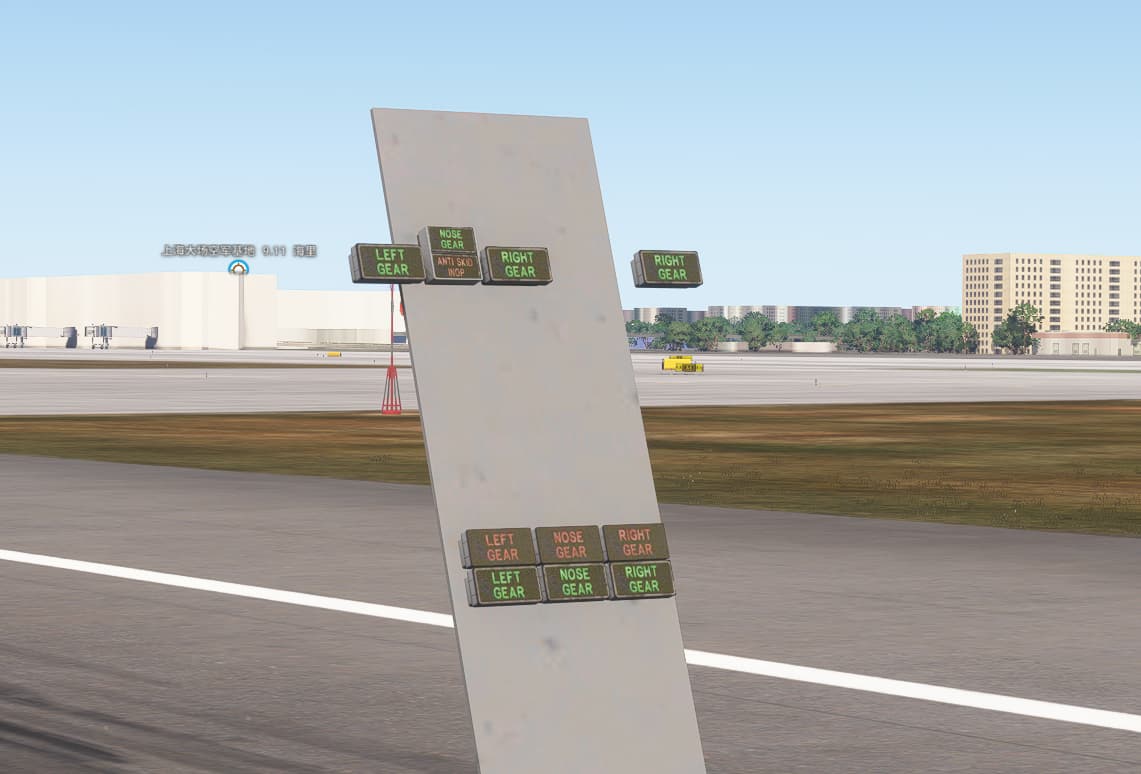
Version: MSFS2024 1.3.23.0
When load MSFS2020 models into MSFS2024, there’s this weird thing that happens. If you keep your view still for about 10 seconds, the texture automatically becomes blurry. if you zoom in , the blur goes away and everything sharpens up again.
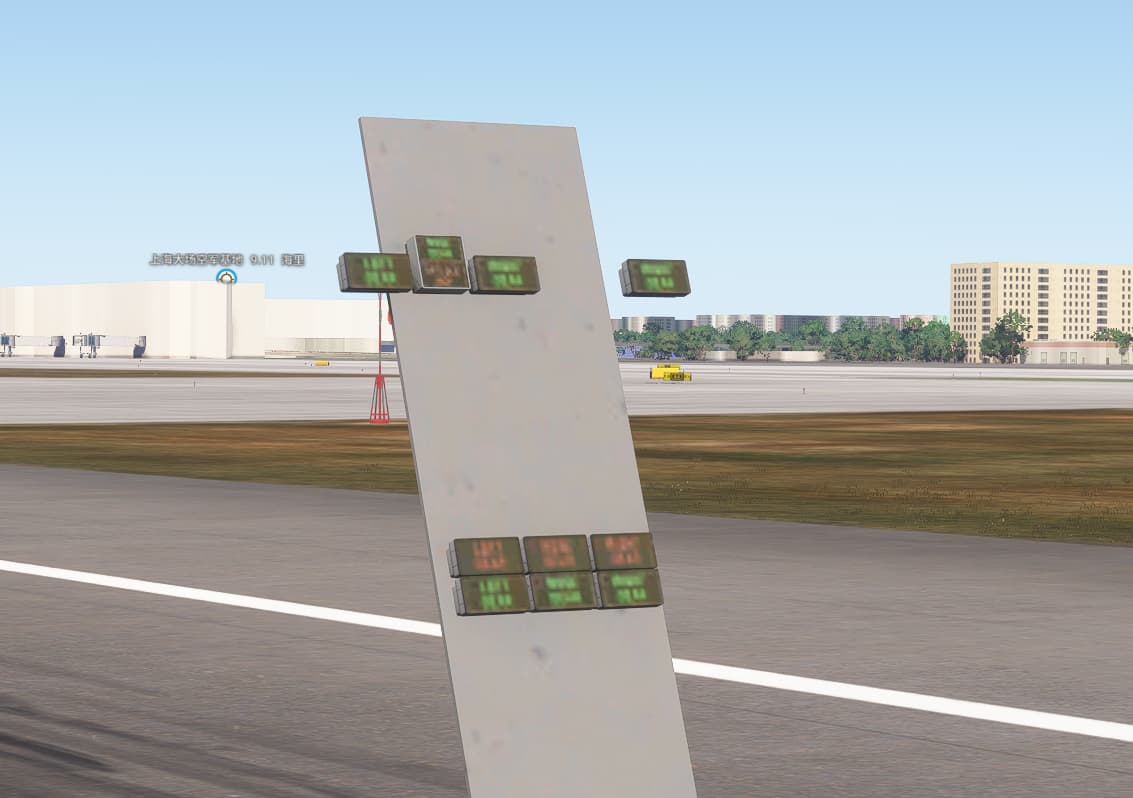
BUMP
@EPellissier
Hi,
Is it possible that we can get someone from Asobo to look into this issue and get back to us please?
This issue is holding us back from releasing the iFly 737MAX to MSFS 2024.
If there is something we can do to resolve this issue, or if it can be addressed with SU 2, Please let us know.
Thank you!
Jannie
We do not see such issues on our end - can you provide a package that exhibits this behavior through Private Content (See section 3 here) ?
Unfortunately I doubt this can be fixed for SU2 because of timing constraints.
Best regards,
Eric / Asobo
A video and system specs would help, too, just in case they can’t reproduce it.
Thanks Eric,
Ming is the developer on this specific item, he will send you the video and product package to show the issue and for you to recreate it in-house.
Thank you for reaching out to us! ![]()
@EPellissier
Have you had any luck in reproducing this on your side?
Seeing the same issue on my PC (7800X3D with RX7800XT)
Regards,
Sylvain
Hi Eric,
Do you have any update for us? I still see the same issue happening in SU3 Beta.
MIng uploaded a test package as requested on April 2nd.
https://devsupport.flightsimulator.com/t/the-texture-automatically-becomes-blurry/13766
And again on April 21st
https://devsupport.flightsimulator.com/t/the-texture-automatically-becomes-blurry/13972
Hi @JannieR2007
Apologies for the delay - I just checked with one of my colleagues and he found & fixed the issue.
The fix will be available in SU3 1.5.4.0.
Best regards,
Eric / Asobo
Awesome, Thank you Eric, looking forward to the fix.
Jannie
Unfortunately I’m still getting this issue, but only in one of our aircraft (F28), and it only affects the radio digits on the centre pedestal. Are there any steps that I can take to find the cause?
Martyn - Just Flight
This is also occurring with our latest project from time to time. Its as if the sim thinks this area is off screen when it isn’t. Something is wrong with how this is calculated for sure.
I’ve just noticed this bug is reported as fixed however I’m still seeing the issue in SU5 Beta. Anyone else experiencing this?
I reopened it as it appears to be exactly the same issue.
Regards,
Sylvain
With SU5 being out this is still a significant issue. Is there any work being done on this. Can you help?
I’ve tried adding a no reduce flag to the textures in question however this flag appears to have no effect in MSFS2024 as it never gets transferred to the .JSON file in the built package.
As an example we have a quite large circuit breaker panel from floor to ceiling. From certain angles the labels become unreadable.
The only way to rectify this was to combine the individual CB objects into one single object.
That isn’t really an option for other areas of the cockpit which are required to be animated.
Is there a way we can access the version of the aircraft where buttons are separate objects for investigation? I am not sure when a fix can be implemented but we’d like to look into this.
Best regards,
Eric / Asobo
If Asobo doesn’t manage to fix this annoying issue, there is one other thing you can do.
Add an invisible plane to each object, to increase its screensize so the sim doesn’t reduce the texture.
If the textured that being reduced is also the interaction point, this obviously also changes the bounding box of the interaction, so now you need to add another invisible plane/box to be the interaction point. But you are probably safe if those numbers are decals.
Overall, a massive pain, but only thing i’ve found that works atm.
You might also have luck setting +NOREDUCE+NOMIPMAP on those textures, but for some reason that doesn’t seem to work all the time for me.